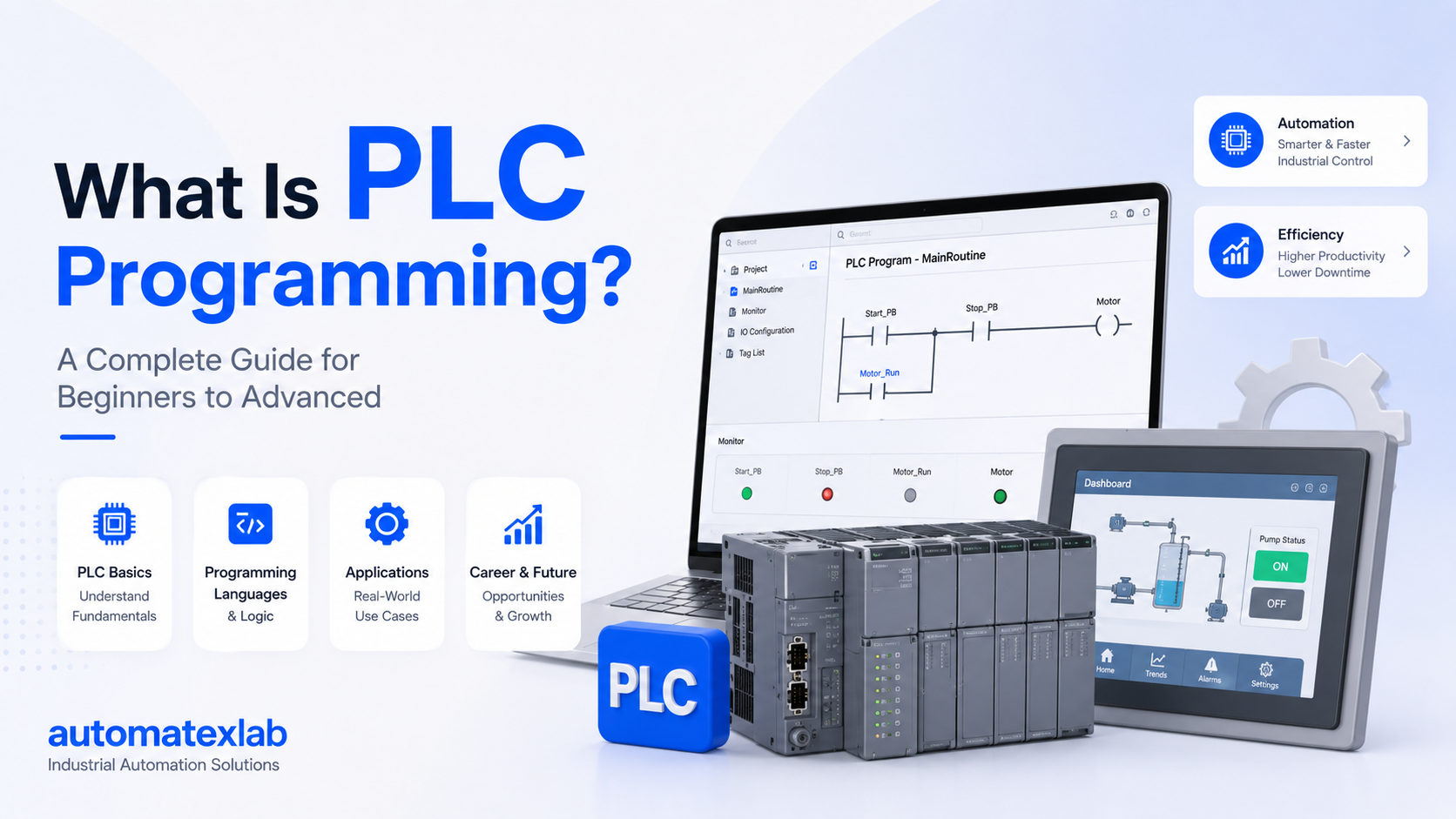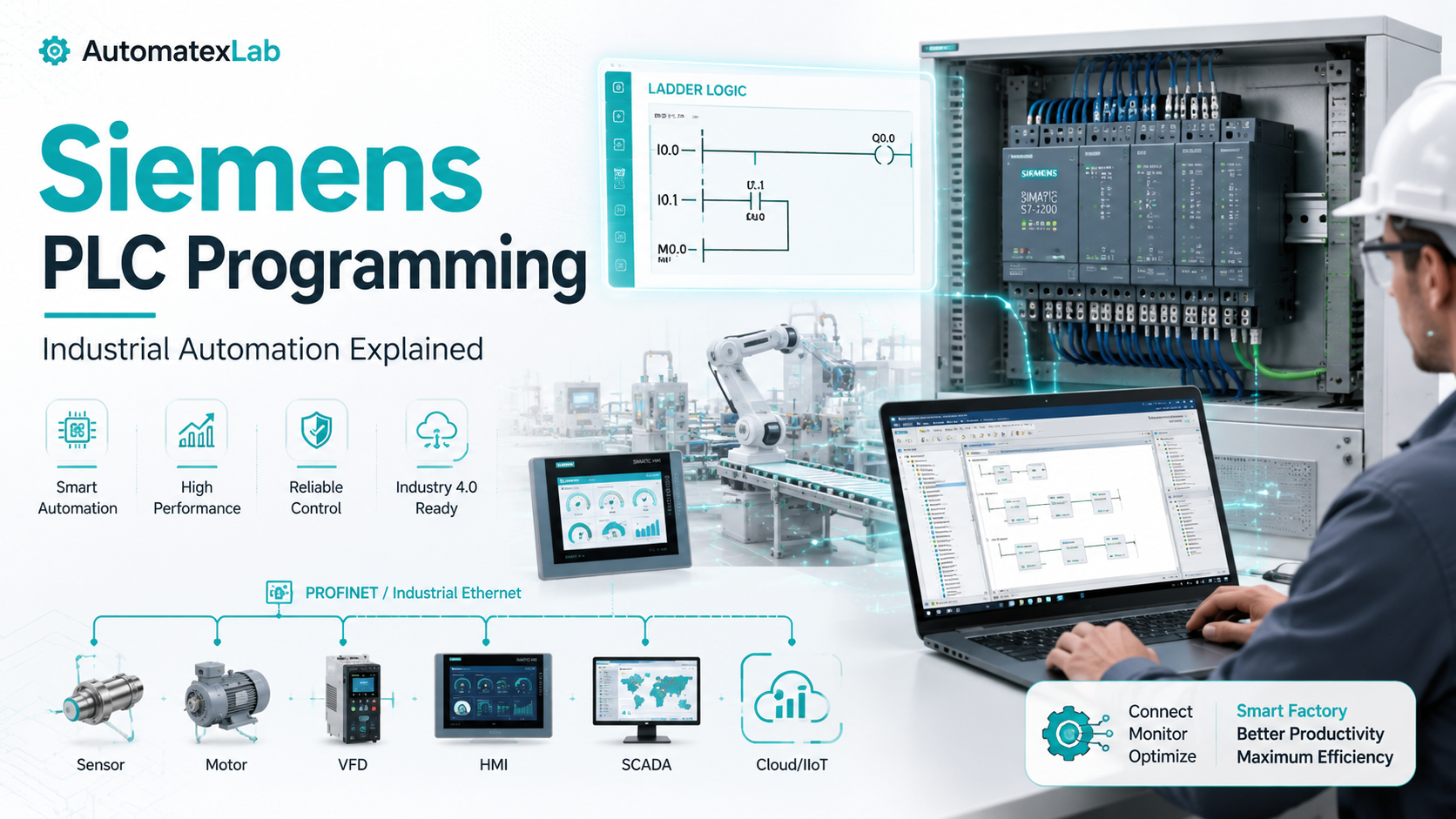
Siemens PLC programming is the process of writing control logic for Siemens Programmable Logic Controllers to automate industrial machines, processes, and systems.
These controllers most commonly the S7-1200 and S7-1500 series use programming software called TIA Portal to receive sensor inputs, process logic, and send output commands to motors, valves, conveyors, and other industrial equipment.
At AutomatexLab, we simplify industrial automation concepts using practical, real-world explanations so engineers, students, and factory professionals can understand how modern automation systems actually work.
Why Siemens Dominates Industrial Automation
Siemens is not just popular. It is the dominant PLC brand in heavy industry worldwide.
A few reasons explain this position:
- Siemens PLCs have a proven track record going back decades across thousands of manufacturing plants
- The TIA Portal software ecosystem connects PLCs, HMIs, drives, and SCADA into one engineering environment
- Siemens offers strong Industry 4.0 compatibility with built-in OPC UA and PROFINET support
- Global technical support and long product lifecycles make Siemens a safe investment for plant managers
AutomatexLab Insight: One thing we consistently notice across manufacturing plants is how widely Siemens PLC systems are adopted for reliability, scalability, and long-term industrial support. It is rarely a coincidence — it is a pattern rooted in real industrial requirements.
How Siemens PLC Programming Works
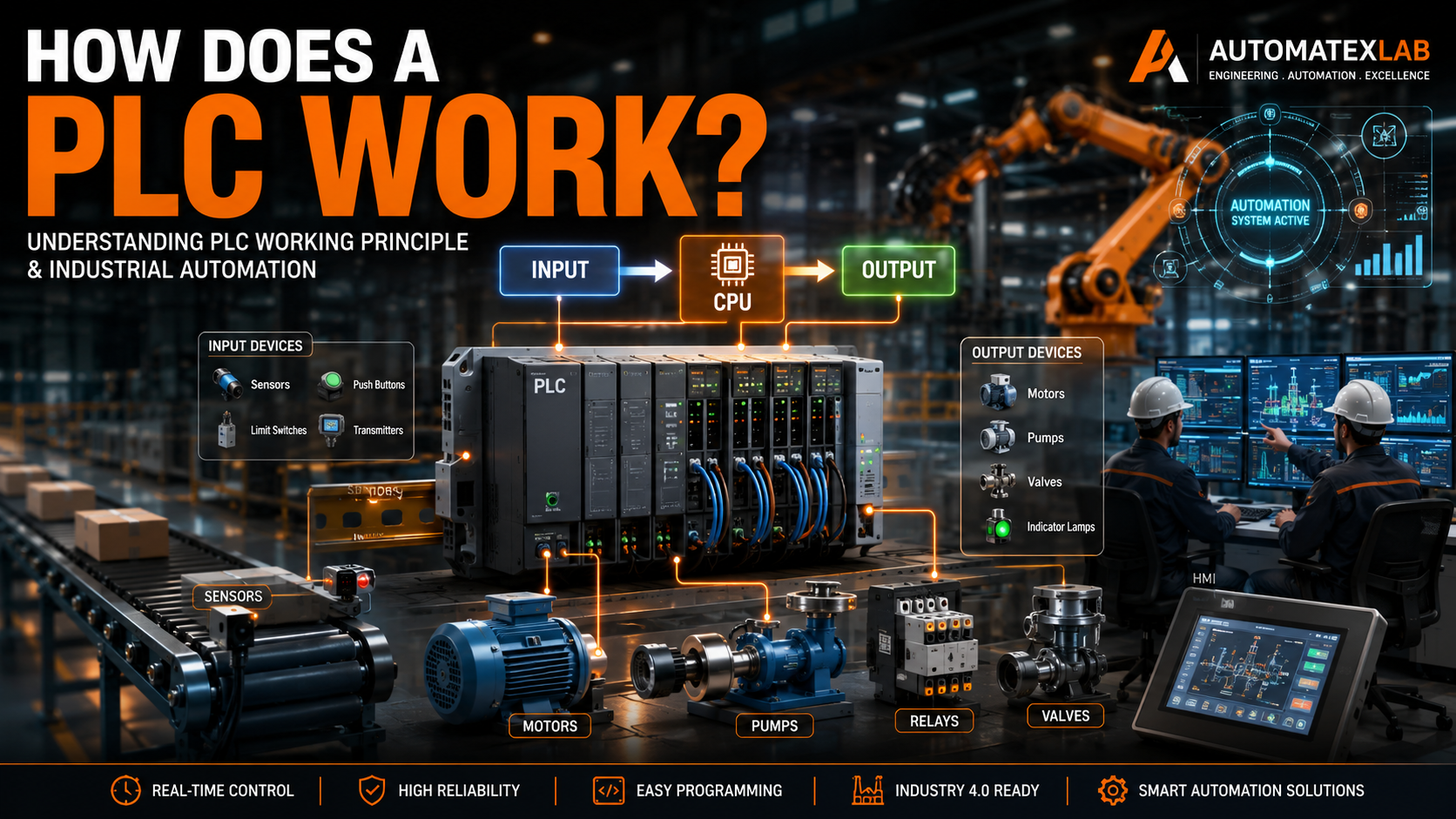
At its core, a Siemens PLC follows a simple but powerful cycle: read inputs, execute logic, write outputs. This repeats continuously in real time.
Inputs From Sensors
The PLC reads signals from field devices. These include proximity sensors, temperature sensors, pressure transmitters, push buttons, and limit switches. Each input is mapped to a memory address inside the PLC.
CPU Processing
The CPU executes the user program stored in memory. It scans the logic from top to bottom, evaluating each instruction against the current input states.
Output Execution
After processing, the CPU updates output signals. These go to actuators like motors, solenoid valves, indicator lights, and conveyor drives.
Scan Cycle Logic
The scan cycle runs continuously, typically completing in milliseconds. This is what makes real-time automation possible. The PLC never stops. It keeps reading, processing, and writing until powered down or put in stop mode.
Real Industrial Workflow Example
Sensor detects product on conveyor → PLC reads input → Logic evaluates condition → PLC activates motor output → Conveyor moves product forward
This same logic structure applies whether you are running a bottling line, a robotic welding cell, or a pharmaceutical mixing process.
Main Components of a Siemens PLC System
Understanding the hardware is essential before writing a single line of code.
CPU Module
The brain of the system. It runs the user program, manages memory, handles communication, and controls the scan cycle. Common options include the CPU 1214C for the S7-1200 and the CPU 1516F for the S7-1500 series.
Input Modules
These connect field sensors to the PLC. Digital input modules handle on/off signals. Analog input modules read continuous values like 4-20mA signals from pressure or flow transmitters.
Output Modules
Output modules send commands to field devices. Digital outputs switch motors and solenoids on/off. Analog outputs control variable frequency drives and control valves with precision signals.
Power Supply Module
Provides regulated DC power to the CPU and I/O modules. Reliable power supply design is critical in industrial environments where voltage fluctuations are common.
Communication Modules
These expand the PLC’s ability to connect to other systems using protocols like PROFIBUS, Modbus TCP, or serial communication. The S7-1500 series supports a wide range of communication add-ons.
HMI Systems
Human Machine Interfaces display real-time process data to operators. Siemens SIMATIC HMI panels connect directly to PLCs via PROFINET and are programmed inside the same TIA Portal environment.
SCADA Integration
Supervisory Control and Data Acquisition systems sit above the PLC level and provide plant-wide monitoring. Siemens WinCC is a widely used SCADA platform that integrates tightly with Siemens PLCs.
AutomatexLab covers dedicated guides on PLC hardware architecture, industrial networking, and SCADA systems for deeper learning.
Siemens PLC Series Explained
Siemens offers multiple PLC families designed for different complexity levels and industrial applications.
S7-200
The original compact controller. Now discontinued but still found in older installations. Simple applications, small I/O count, basic communication. Not recommended for new projects.
S7-300
A modular mid-range PLC widely used throughout the 1990s and 2000s. Supports a large range of I/O modules and communication options. Still operational in many existing plants but being phased out in favor of newer platforms.
S7-400
The high-end controller for complex, large-scale automation. Handles high I/O counts, fast cycle times, and demanding process applications. Common in automotive plants, steel mills, and chemical processing facilities.
S7-1200
The current compact controller series designed for small to medium automation tasks. Fully supported in TIA Portal, supports PROFINET natively, and includes built-in web server and motion control capabilities. The most popular entry-level Siemens PLC today.
S7-1500
The current flagship PLC series for demanding industrial applications. Faster processing, higher memory, advanced diagnostics, built-in OPC UA server, and strong cybersecurity features. The right choice for complex factory automation and Industry 4.0 projects.
PLC Series Comparison Table
| PLC Series | Best For | Complexity Level | Industrial Usage |
|---|---|---|---|
| S7-200 | Legacy small systems | Basic | Being replaced |
| S7-300 | Mid-range existing plants | Moderate | Maintenance only |
| S7-400 | Large-scale process control | Advanced | Heavy industry |
| S7-1200 | New compact projects | Beginner to moderate | Widely used |
| S7-1500 | Complex industrial systems | Advanced | High-end manufacturing |
At AutomatexLab, we recommend the S7-1200 as one of the best starting points for beginners entering industrial automation.
Siemens PLC Programming Languages
TIA Portal supports multiple IEC 61131-3 programming languages. Each serves different use cases and user backgrounds.
Ladder Logic (LAD)
The most widely used PLC programming language. It visually resembles relay logic diagrams, making it easy for electrical engineers to understand. Contacts, coils, timers, counters, and comparison blocks are arranged in rungs on a virtual ladder.
Most beginner projects explained on AutomatexLab use Ladder Logic because it closely matches real electrical control systems that engineers already understand.
Function Block Diagram (FBD)
Uses graphical blocks connected by signal lines. Common in process industries where engineers think in terms of signal flow rather than electrical circuits. Good for complex logic with multiple feedback loops.
Structured Text (SCL)
A high-level text-based language similar to Pascal. Ideal for mathematical calculations, string processing, data manipulation, and complex algorithms. Increasingly popular as more software developers enter the automation field.
Sequential Function Chart (SFC)
Designed for step-by-step sequential processes. Each step in the process is represented as a block, with transitions between steps defined by conditions. Common in batch manufacturing and assembly line sequencing.
Which PLC Language Should Beginners Learn?
Start with Ladder Logic. It is the industry standard, the most taught language in vocational and engineering programs, and directly maps to how industrial control systems are designed and documented in the field.
What is TIA Portal?
TIA Portal stands for Totally Integrated Automation Portal. It is Siemens’ unified engineering software platform used to program, configure, and commission Siemens automation systems.
TIA Portal is not just a PLC programming tool. It integrates:
- PLC programming (all IEC languages)
- HMI screen design
- Drive configuration
- Network setup
- Diagnostics and commissioning
- Safety programming
- Cloud connectivity configuration
Creating Projects in TIA Portal
Every automation job starts by creating a new project. Inside the project, you add your PLC hardware, configure the CPU settings, define the I/O addresses, and set up communication parameters before writing a single logic block.
Configuring Hardware
The hardware configuration step maps the physical modules to software addresses. The CPU recognizes each module based on its catalog number and slot position in the rack. Getting this right is essential before deploying to real hardware.
Writing Ladder Logic
Inside the program blocks, you write your control logic. TIA Portal provides a structured environment with Organization Blocks (OB), Function Blocks (FB), Functions (FC), and Data Blocks (DB) to organize complex programs clearly.
Online Monitoring
TIA Portal allows you to connect to a live PLC and monitor real-time signal states, variable values, and logic execution. This online monitoring feature is invaluable during commissioning and troubleshooting.
Debugging Tools
TIA Portal includes watch tables, force tables, cross-reference lists, and diagnostic buffers to help engineers identify and fix problems quickly during startup and maintenance.
Why AutomatexLab Focuses Heavily on TIA Portal
Modern Siemens automation ecosystems increasingly rely on integrated engineering workflows rather than isolated PLC programming. Understanding TIA Portal is not optional for anyone working with Siemens systems — it is the foundation of everything.
Siemens PLC Programming Example: Motor Start-Stop Logic
This is the most fundamental and widely taught PLC programming example. Understanding it builds the foundation for every more complex application.
Problem Statement
Control a motor using a start button and a stop button. The motor should latch on after the start button is pressed and turn off when the stop button is pressed or if a fault condition occurs.
Inputs and Outputs
| Signal | Type | Address | Description |
|---|---|---|---|
| Start Button | Digital Input | I0.0 | Normally Open pushbutton |
| Stop Button | Digital Input | I0.1 | Normally Closed pushbutton |
| Motor Overload | Digital Input | I0.2 | Normally Closed overload relay |
| Motor Contactor | Digital Output | Q0.0 | Controls motor starter |
Ladder Logic Explanation
Rung 1: The start button (I0.0) contact is placed in series with the stop button (I0.1) and overload contact (I0.2). The output coil Q0.0 energizes the motor contactor.
Rung 2: A seal-in contact (Q0.0) is placed in parallel with the start button. This latches the motor on after the start button is released, keeping the motor running without holding the button.
Safety Condition: The stop button and overload relay are wired as normally closed contacts. Any fault automatically breaks the circuit and stops the motor.
Industrial Application
This same logic structure controls motors in conveyor systems, pump stations, fan units, and compressor packages across every industry. The latch-in contact principle applies whether you are controlling a small 5 HP fan motor or a 500 HP industrial pump.
At AutomatexLab, we strongly believe real-world examples teach PLC programming faster than theoretical explanations alone.
Siemens PLC Communication Protocols
Modern factories are networked environments. A PLC that cannot communicate is of limited value in today’s connected manufacturing systems.
PROFINET
PROFINET is Siemens’ flagship industrial Ethernet protocol. It provides fast, deterministic communication between PLCs, HMIs, drives, and distributed I/O systems. The S7-1200 and S7-1500 both have built-in PROFINET interfaces as standard.
PROFIBUS
An older serial fieldbus protocol still widely found in existing installations. PROFIBUS DP connects PLCs to distributed I/O, drives, and instrumentation at high data rates over two-wire cables. Many plants still run fully functional PROFIBUS networks that will not be replaced for years.
OPC UA
OPC Unified Architecture is the modern standard for secure, platform-independent industrial data exchange. The S7-1500 has a built-in OPC UA server, allowing direct data access from SCADA systems, MES platforms, cloud applications, and analytics tools without additional middleware.
Modbus TCP
A widely supported open protocol used to communicate with non-Siemens devices. Useful when integrating Siemens PLCs into mixed-brand environments with instruments, meters, or third-party controllers.
Industrial Ethernet
Beyond specific protocols, Industrial Ethernet provides the physical network infrastructure connecting all devices. Managed switches, ring topology for redundancy, and VLAN segmentation are all part of modern industrial network design.
Industrial networking is becoming one of the most important skills in Industry 4.0 environments, which is why AutomatexLab also focuses on IIoT and connected factory systems.
Siemens PLC vs Other PLC Brands
Feature Comparison Table
| Feature | Siemens | Allen Bradley | Mitsubishi | Delta |
|---|---|---|---|---|
| Software Ecosystem | TIA Portal (unified) | Studio 5000 / RSLogix | GX Works | ISPSoft |
| Learning Difficulty | Moderate | Moderate to high | Moderate | Low to moderate |
| Industrial Adoption | Very high globally | Very high in North America | High in Asia Pacific | Growing in cost-sensitive markets |
| Scalability | Excellent | Excellent | Good | Limited at high end |
| Industry 4.0 Readiness | Very strong | Strong | Moderate | Basic |
| Pricing | Premium | Premium | Mid-range | Budget to mid-range |
Key Takeaway
Allen Bradley (Rockwell Automation) is the dominant choice in North American automotive and food processing plants and is a strong alternative to Siemens in that market.
Mitsubishi is widely used in Asia Pacific and offers solid performance at a competitive price point, particularly for discrete manufacturing.
Delta is gaining traction in cost-sensitive markets where budget is the primary constraint and application complexity is lower.
From our analysis at AutomatexLab, Siemens often becomes the preferred choice in large-scale industrial plants because of its integrated ecosystem and strong Industry 4.0 compatibility. For engineers entering the field globally, Siemens knowledge transfers well across industries and regions.
Industries Using Siemens PLC Programming
Siemens PLCs appear in virtually every sector of industrial manufacturing and process automation.
Automotive Manufacturing
Assembly lines, robotic welding stations, paint shop conveyors, engine test stands, and body shop automation all run on Siemens PLC systems. Automotive plants are often the most demanding PLC environments in terms of cycle time, uptime requirements, and integration complexity.
Food and Beverage Processing
Bottling lines, mixing systems, pasteurization control, filling machines, and packaging lines rely on Siemens PLCs for precise control and hygienic design compliance. Wash-down environments and strict sanitation requirements make reliable, well-supported hardware essential.
Pharmaceutical Plants
Batch process control, clean room systems, environmental monitoring, and validation requirements drive pharmaceutical automation. Siemens S7-1500 systems with safety functions are common in FDA-regulated manufacturing environments.
Packaging Industries
High-speed packaging machines, labeling systems, shrink wrapping lines, and palletizing robots all use Siemens PLCs integrated with servo drives and vision systems.
Oil and Gas
Pipeline control, pump station automation, wellhead management, and refinery process control use Siemens PLCs in some of the harshest environmental conditions in industry.
Water and Wastewater Treatment
Pump control, chemical dosing, filtration monitoring, and SCADA integration in water treatment plants commonly run on Siemens S7-1200 and S7-1500 systems connected to WinCC SCADA.
Smart Factories
Industry 4.0 facilities use Siemens PLCs as the core of connected manufacturing systems that integrate with MES, ERP, cloud analytics, and digital twin platforms.
Advantages of Siemens PLC Programming
- Reliable industrial operation: Siemens PLCs are built for 24/7 operation in harsh industrial environments with wide temperature ranges, vibration resistance, and electrical noise immunity
- Real-time automation: Scan cycle times in the millisecond range provide the responsiveness required for fast machine control applications
- High scalability: From a small S7-1200 with 14 I/O points to an S7-1500 system with thousands of distributed I/O channels, Siemens scales with the application
- Strong communication capabilities: Built-in PROFINET, OPC UA, and support for multiple fieldbus protocols make Siemens PLCs easy to integrate into any plant network
- Industry 4.0 readiness: Native cloud connectivity, built-in web servers, and OPC UA support make Siemens PLCs compatible with modern digital factory initiatives
- Integrated engineering environment: TIA Portal reduces engineering time by keeping PLC, HMI, drive, and network configuration in one software package
- Long product lifecycle and support: Siemens commits to long support periods for its PLC families, protecting plant investments over decades
These advantages are one reason why AutomatexLab focuses heavily on Siemens-based industrial automation content.
Common Challenges in Siemens PLC Programming
Understanding the difficulties is just as important as learning the technology.
Debugging Complex Logic
Large PLC programs with hundreds of function blocks and data structures can be difficult to troubleshoot. Engineers rely on TIA Portal’s online monitoring, watch tables, and diagnostic buffers to isolate faults systematically.
Hardware Configuration Errors
Incorrect module configuration is one of the most common startup problems. Mismatched catalog numbers, wrong slot assignments, or incorrect IP addresses prevent the PLC from recognizing I/O modules. Always verify hardware configuration against the physical installation before going online.
Communication Failures
Network issues like IP address conflicts, incorrect subnet masks, PROFINET device name mismatches, and faulty cables cause communication faults that halt production. Industrial network design skills are essential for anyone working on Siemens systems.
Learning Curve With TIA Portal
TIA Portal is feature-rich but has a steep learning curve for beginners. Understanding the difference between organization blocks, function blocks, and data blocks takes time and practice. Simulation tools inside TIA Portal help reduce the learning curve before working on live equipment.
Safety Programming Complexity
F-CPU safety programming (TIA Portal Safety) adds another layer of complexity with its dedicated safety logic, forced testing requirements, and certification procedures. Safety automation is a specialized skill that requires dedicated training.
How to Learn Siemens PLC Programming
A clear roadmap removes the guesswork from the learning process.
Step One: Learn Industrial Electrical Basics
Before writing any code, understand three-phase power systems, motor starters, control voltage circuits, relay logic, and reading electrical schematics. PLC programming is an extension of traditional electrical control design.
Step Two: Understand Sensors and Actuators
Learn how proximity sensors, photoelectric sensors, pressure transmitters, and flow meters work. Understand output devices like contactors, solenoid valves, and variable frequency drives. The PLC is the interface between these devices.
Step Three: Learn Ladder Logic
Start with basic contacts, coils, timers, and counters. Build simple start-stop circuits, sequencing logic, and process control examples. Practice until the logic feels natural.
Step Four: Practice on Simulators
TIA Portal includes a PLC simulator (PLCSIM) that lets you test programs without physical hardware. Use it extensively before touching real equipment. Mistakes on a simulator are free. Mistakes on live equipment can be expensive.
Step Five: Build Mini Automation Projects
Small projects like traffic light control, elevator simulation, or a simple conveyor system with sensors build real programming skills faster than any tutorial. Apply what you learn immediately.
Step Six: Learn HMI and SCADA
Once comfortable with PLC programming, move into HMI screen design using TIA Portal and basic SCADA configuration with WinCC. This combination makes you significantly more valuable to any employer.
Step Seven: Study Industrial Communication
Learn PROFINET configuration, network design basics, OPC UA data modeling, and how PLCs integrate with higher-level systems. Industrial networking is the skill gap most engineers have and the one most in demand.
The Future of Siemens PLC Programming
Smart Factories
The smart factory model integrates PLCs with MES systems, quality management platforms, and real-time analytics. Siemens PLCs serve as the data source at the machine level feeding plant-wide intelligence systems.
Industrial AI Integration
AI-driven process optimization, anomaly detection, and predictive quality systems are increasingly being layered on top of existing PLC infrastructure. The PLC still controls the machine. AI analyzes patterns in the data it generates.
Predictive Maintenance
Vibration data, temperature trends, power consumption patterns, and cycle count data from PLCs feed machine learning models that predict equipment failures before they occur. This reduces unplanned downtime and maintenance costs significantly.
Edge Computing
Edge computing devices sit between the PLC and the cloud, processing data locally for low-latency analytics and reducing bandwidth requirements. Siemens SIMATIC IPC industrial computers serve this role in many smart factory deployments.
Digital Twins
A digital twin is a virtual replica of a physical machine or process that runs in real time using live PLC data. Engineers use digital twins for simulation, testing new control logic, training operators, and optimizing performance without touching the real machine.
AutomatexLab believes the future of industrial automation will increasingly combine PLC systems with AI-driven analytics and industrial IoT platforms. Engineers who understand both the factory floor and the data layer will have the strongest careers in manufacturing for the next two decades.
Wrapping Up
Siemens PLC programming is a core skill in modern industrial automation. From compact S7-1200 systems running small packaging machines to S7-1500 platforms controlling entire automotive assembly plants, Siemens PLC technology is embedded in the infrastructure of global manufacturing.
The pathway to competency is clear: learn the fundamentals, practice in TIA Portal, work through real examples, and progressively build knowledge in HMI, SCADA, and industrial networking. Engineers who invest in these skills are entering one of the most in-demand specializations in engineering today.
Factory digitization, smart manufacturing, and Industry 4.0 investments are accelerating. The demand for qualified Siemens automation professionals is growing faster than the supply. This is one of the best times to develop these skills
Looking to automate, optimize, or modernize your industrial systems?
AutomatexLab provides industrial automation services including PLC programming, SCADA development, HMI design, industrial IoT integration, factory automation solutions, and smart manufacturing support tailored for modern industries.
From control logic to complete automation workflows, we help businesses build smarter industrial systems.
FAQs
It has a learning curve, but it is manageable with the right approach. Start with Ladder Logic, use the TIA Portal simulator extensively, and work through real examples. Most engineers become productive within a few months of focused practice.
The S7-1200 is the recommended starting point. It is fully supported in TIA Portal, has excellent documentation, is widely used in industry, and offers enough features to build real projects without overwhelming complexity.
TIA Portal (Totally Integrated Automation Portal) is the primary software. It covers PLC programming, HMI design, drive configuration, and network setup in one integrated environment.
Ladder Logic is a graphical PLC programming language that represents control logic using symbols similar to relay circuit diagrams. It is the most widely used PLC language globally and the recommended starting language for beginners.
The S7-1500 is faster, has more memory, supports more advanced features like built-in OPC UA server, improved cybersecurity, motion control capabilities, and higher I/O capacity. The S7-1200 is more compact and cost-effective for smaller applications. Choose S7-1200 for learning and compact systems. Choose S7-1500 for complex industrial applications.
Reliability, global support infrastructure, a unified software ecosystem in TIA Portal, strong Industry 4.0 compatibility, and a long history of proven performance in demanding industrial environments. Siemens also offers a complete automation portfolio including drives, HMIs, SCADA, and motion systems that all integrate tightly together.