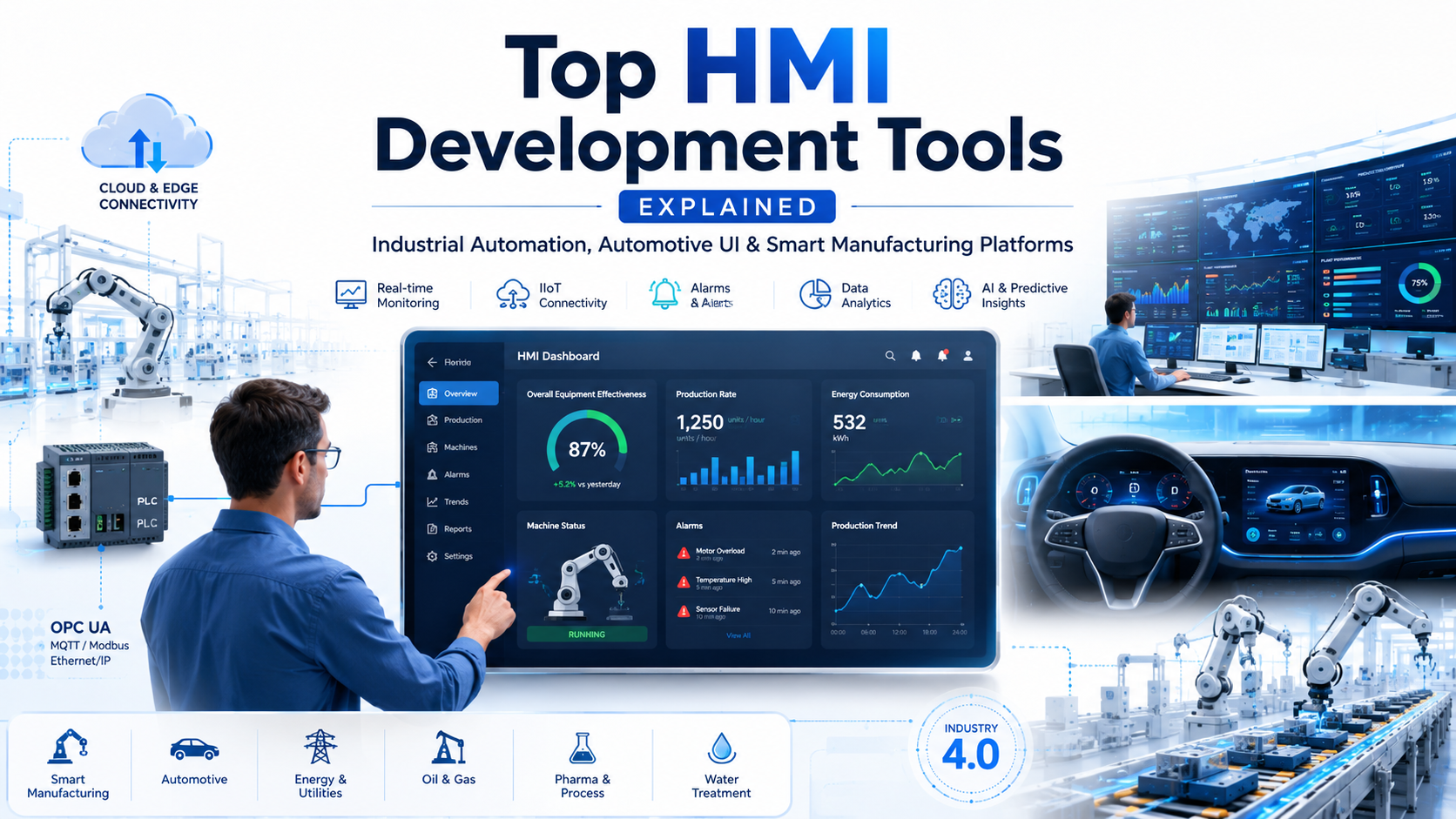
Human Machine Interface (HMI) development tools are software platforms engineers use to build operator interfaces for industrial machines, automation systems, vehicles, and smart devices. Choosing the right platform directly impacts how well operators can monitor, control, and respond to complex systems in real time.
This guide covers everything from core functions to industry-specific tool recommendations, helping you make an informed decision fast.
What Are HMI Development Tools?
HMI development tools let engineers design interactive screens, dashboards, and control panels for machines and automated systems. These tools bridge the gap between operators and hardware by turning raw data into actionable visuals.
Modern HMI platforms are now central to:
- Industry 4.0 and smart manufacturing
- Automotive digital cockpits and infotainment
- Industrial IoT and edge computing
- Process automation and energy management
- Robotics and SCADA systems
What Does HMI Software Actually Do?
Visualization Design
Engineers use HMI tools to build interactive screens with gauges, trend charts, real-time graphs, alarm windows, and machine status panels. The drag-and-drop interfaces in most modern platforms make this accessible even for teams without deep UI development experience.
PLC and Device Communication
HMI tools connect with PLCs, SCADA systems, sensors, variable frequency drives (VFDs), and edge devices through standard industrial protocols. The most widely supported protocols include:
- Modbus — legacy and widely supported
- OPC UA — modern, secure, cross-platform
- Ethernet/IP — common in North American facilities
- PROFINET — dominant in Siemens environments
- MQTT — lightweight, ideal for IIoT
- CAN Bus — standard in automotive systems
Real-Time Monitoring
Operators can view live machine performance, track production output, detect alarms the moment they trigger, and analyze downtime patterns from a single screen.
Alarm and Event Management
HMI software handles alarm notifications, fault tracking, event history logging, and predictive alerts. Effective alarm management reduces response time and prevents cascading failures.
Data Logging and Analytics
Advanced HMI systems support historical data logging, cloud analytics integration, production reporting, KPI dashboards, and Overall Equipment Effectiveness (OEE) monitoring.
Types of HMI Development Tools
| Type | Primary Use | Examples |
|---|---|---|
| Industrial HMI | Factories, plants, packaging | WinCC, Ignition, FactoryTalk |
| Automotive HMI | Digital clusters, infotainment, EV | Qt, Kanzi, Altia, EB GUIDE |
| Embedded HMI | Medical, consumer electronics | TouchGFX, LVGL, Crank Storyboard |
| Web-Based HMI | Remote monitoring, cloud dashboards | Ignition Perspective, Grafana, Node-RED |
Complete Breakdown of Popular HMI Development Tools
Siemens WinCC
Best for: Automotive manufacturing, pharmaceutical, oil and gas
Siemens WinCC is one of the most widely deployed industrial HMI and SCADA platforms globally. It integrates tightly with the Siemens TIA Portal ecosystem, making it the natural choice for facilities already running Siemens PLCs and PROFINET infrastructure.
Key features:
- Full SCADA visualization and alarm management
- Historical trending and data logging
- Multi-user distributed architecture
- OPC UA communication support
- Web HMI and cloud integration
- Industrial IoT connectivity
Strengths: Deep Siemens ecosystem integration, enterprise-grade scalability, proven industrial reliability across decades of deployment.
Limitations: Licensing costs are high. Teams new to the platform face a steep learning curve, especially without prior TIA Portal experience.
Industry applications:
- Automotive: Robotic assembly lines, paint shops, conveyor automation
- Pharmaceutical: Batch process visualization, FDA-compliant audit logging
- Oil and Gas: Pipeline monitoring, remote station control
Rockwell FactoryTalk View
Best for: North American manufacturing, food processing, automotive assembly
FactoryTalk View is Rockwell Automation’s primary HMI platform and the go-to solution for facilities running Allen-Bradley PLCs. It is deeply embedded in North American industrial infrastructure.
Key features:
- Real-time process visualization
- Alarm management and industrial reporting
- SCADA integration
- Distributed HMI architecture
Strengths: Best-in-class Allen-Bradley PLC integration. Rock-solid reliability in established manufacturing environments.
Weaknesses: The interface feels dated compared to modern web-based platforms. Deployment and licensing costs are on the higher end.
Best industries: Food processing, packaging, automotive assembly, warehousing.
Ignition SCADA
Best for: Smart manufacturing, energy, Industry 4.0 environments
Ignition by Inductive Automation has rapidly become one of the most talked-about platforms in modern industrial automation. Its unlimited licensing model and web-based architecture make it stand out from legacy SCADA platforms.
Key features:
- Browser-based HMI development
- MQTT and IIoT native support
- SQL database connectivity
- Python scripting for custom logic
- MES integration
- Mobile SCADA access
Strengths: Modern architecture, highly scalable, excellent fit for AI-driven and cloud-connected factories. Unlimited licensing means no per-client cost scaling.
Limitations: Requires scripting knowledge for complex customization. Teams coming from traditional PLC-centric workflows may find the learning curve steep initially.
Industry applications:
- Smart Manufacturing: Industry 4.0 dashboards, IIoT integration, digital transformation projects
- Energy Sector: Solar monitoring, power analytics, smart grid visualization
AVEVA InTouch
Best for: Chemical plants, water treatment, heavy industries
AVEVA InTouch is one of the oldest established SCADA and HMI platforms on the market. It remains a strong choice in industries with long operational cycles and legacy system dependencies.
Key features:
- Industrial visualization and alarm management
- Historian integration for long-term data storage
- Process analytics and MES integration
- Proven reliability in mission-critical environments
Best industries: Chemical processing, water treatment, mining, heavy manufacturing.
VTScada
Best for: Utility and infrastructure monitoring
VTScada by Trihedral Engineering is widely used across water utilities, power distribution, and oil and gas infrastructure. It prioritizes reliability, redundancy, and remote telemetry over visual richness.
Key features:
- Remote telemetry support
- Full redundancy architecture
- Alarm management
- Industrial communication protocols
Best industries: Water treatment, power utilities, oil and gas pipeline monitoring.
Qt for Automotive and Industrial HMI
Best for: Automotive digital cockpits, EV dashboards, medical devices
Qt is one of the most versatile HMI development frameworks available. It powers everything from automotive infotainment systems to embedded industrial interfaces, supported by a massive global developer community.
Key features:
- High-performance 2D and 3D graphics rendering
- Embedded Linux, QNX, and Android Automotive support
- Cross-platform deployment from a single codebase
- GPU acceleration and hardware rendering
- Touch and gesture optimization
Strengths: Modern UI capabilities, smooth animations, excellent for premium automotive applications where visual quality matters.
Limitations: Complex for developers new to C++ and QML. Commercial licensing adds cost for production deployments.
Industry applications:
- Automotive: EV dashboards, digital instrument clusters, infotainment systems for luxury and mainstream brands
- Medical Devices: Advanced visualization interfaces requiring precision and reliability
Kanzi
Best for: Premium automotive HMI, EV dashboards, ADAS visualization
Kanzi by Rightware is a dedicated automotive HMI platform built for GPU-intensive, visually demanding applications. It is used by major OEMs and Tier 1 suppliers building next-generation vehicle interfaces.
Key features:
- Real-time 3D UI rendering
- Full GPU pipeline optimization
- Automotive-grade performance benchmarks
- Advanced animation and transition engine
Best use cases: EV battery dashboards, ADAS status visualization, premium infotainment systems, digital cockpit clusters.
Altia Design
Best for: Automotive, aerospace, medical embedded systems
Altia is a design-to-production platform that generates embedded GUI code directly from design files. It is particularly popular in safety-critical applications where code efficiency and reliability matter more than visual complexity.
Key features:
- Embedded GUI code generation
- Real-time rendering on constrained hardware
- Safety-critical certification support
Best industries: Automotive embedded systems, aerospace instrumentation, medical electronics.
EB GUIDE
Best for: Automotive digital cockpit development
EB GUIDE from Elektrobit is purpose-built for automotive HMI development. It supports cluster UI development with AUTOSAR integration, making it a strong choice for Tier 1 automotive suppliers and OEM digital cockpit programs.
Key features:
- Instrument cluster UI development
- Automotive-grade software framework
- AUTOSAR middleware integration
TouchGFX
Best for: STM32-based embedded systems, medical devices, smart appliances
TouchGFX by STMicroelectronics is a lightweight embedded GUI platform optimized for STM32 microcontrollers. It targets developers building touchscreen interfaces on resource-constrained hardware.
Key features:
- STM32 hardware optimization
- Low-memory graphics pipeline
- Embedded touchscreen UI development
Best industries: Medical devices, consumer electronics, smart home appliances.
LVGL (Light and Versatile Graphics Library)
Best for: IoT devices, low-cost embedded systems, open-source projects
LVGL is an open-source embedded graphics library with a growing ecosystem. It runs on virtually any microcontroller with minimal resources and is a popular choice for budget-conscious embedded HMI projects.
Key features:
- Extremely lightweight UI engine
- Open-source with active community
- Runs on devices with as little as 64KB RAM
Best use cases: IoT sensors with displays, smart home interfaces, low-cost industrial HMI panels.
Industry-Specific HMI Tool Recommendations
Automotive Industry
Automotive HMI requirements are among the most demanding across any sector. The display must respond instantly, render complex 3D graphics smoothly, and comply with safety standards like ISO 26262. Multi-screen synchronization across instrument clusters, head-up displays, and passenger screens is now standard in modern vehicle programs.
Recommended tools: Qt, Kanzi, Altia, EB GUIDE
Automotive HMI applications:
- Digital Instrument Clusters: Speed, battery status, navigation, ADAS alert visualization
- Infotainment Systems: Music, maps, connectivity, voice control integration
- EV Dashboards: Charging analytics, battery health visualization, energy efficiency monitoring
Manufacturing Industry
Manufacturing HMI platforms need strong PLC connectivity, reliable alarm management, and integration with MES and ERP systems. The shift toward Industry 4.0 is pushing many facilities to evaluate web-based and cloud-connected options alongside legacy platforms.
Recommended tools: WinCC, Ignition, FactoryTalk, AVEVA InTouch
Key applications:
- Production line monitoring and OEE dashboards
- Machine control and operator guidance screens
- Predictive maintenance visualization
- Quality control and defect tracking
Oil and Gas Industry
Oil and gas HMI deployments prioritize reliability above everything else. Systems often run in remote, hazardous environments with limited connectivity. Redundancy, failover, and secure remote access are critical.
Recommended tools: VTScada, AVEVA InTouch, Ignition
Requirements specific to this sector:
- Remote telemetry and field device monitoring
- Full redundancy with automatic failover
- Hazardous area display certification
- High-reliability communication over intermittent networks
Food and Beverage Industry
Food and beverage facilities need HMI platforms that support batch monitoring, recipe management, and hygiene-compliant display designs. FDA and food safety compliance documentation is often required.
Key needs: Batch process visualization, packaging line analytics, allergen and recipe tracking.
Pharmaceutical Industry
Pharmaceutical HMI requirements are tightly regulated. FDA 21 CFR Part 11 compliance requires full audit trails, electronic signatures, and secure data logging. Any platform deployed in this environment must support validation protocols.
Requirements:
- FDA-compliant audit logging
- Electronic signature support
- Secure, validated data storage
- Role-based access control
Energy and Utilities Industry
Smart grid monitoring, renewable energy dashboards, and substation visualization are growing application areas. Modern energy HMIs need cloud connectivity, mobile access, and real-time anomaly detection.
Recommended tools: Ignition, VTScada, Grafana for analytics overlays.
Key Features to Look for in Automotive HMI Tools
GPU-Accelerated Rendering
Modern vehicle displays require smooth animations, 3D object rendering, and real-time transitions without dropped frames. Any serious automotive HMI tool must support OpenGL ES, Vulkan, or direct hardware acceleration on the target SoC.
Multi-Display Support
Vehicles now ship with multiple synchronized screens including instrument clusters, center consoles, passenger displays, and head-up projections. The development platform must handle multi-screen rendering with shared state and synchronized transitions.
Real-Time Performance
Latency in automotive HMIs is a safety concern, not just a user experience issue. ADAS alerts, speed readings, and warning signals must render within deterministic time windows. Look for platforms with proven real-time performance benchmarks on target hardware.
Embedded Hardware Compatibility
The platform must run on:
- ARM Cortex-A series processors
- Automotive-grade SoCs from suppliers like Qualcomm, Renesas, and NXP
- Embedded Linux, QNX, and Android Automotive OS
- AUTOSAR middleware stacks
CAN Bus and Automotive Protocol Support
Vehicle data flows through CAN, LIN, FlexRay, and increasingly Automotive Ethernet. The HMI tool must natively support these protocols or integrate with middleware that does.
Functional Safety Support
Many automotive HMI components are ASIL-rated under ISO 26262. The development tool should support safety-certified rendering components, redundancy mechanisms, and documentation trails required for functional safety audits.
Modern UI and UX Capabilities
Drivers and passengers expect premium visual experiences comparable to consumer smartphones. Key requirements include:
- Fluid gesture and touch response
- Voice assistant integration
- Responsive layout across screen sizes
- Premium visual design assets and animation support
OTA Update Support
Connected vehicles need secure over-the-air update capability for HMI software. The platform should support remote update pipelines with rollback protection and cloud synchronization.
AI and Voice Integration
Next-generation cockpits integrate AI assistants, driver behavior analysis, and smart contextual recommendations. Platforms with AI middleware hooks and voice SDK integration are increasingly preferred.
Low Resource Consumption
Automotive SoCs have constrained resources compared to desktop hardware. Efficient platforms optimize RAM usage, CPU load, GPU utilization, and boot time from cold start.
Industrial HMI Trends Shaping the Market in 2026
Web-Based HMI Is Replacing Legacy Panel Software
Browser-based dashboards are replacing traditional installed HMI applications across many factory segments. Ignition Perspective and similar platforms let operators access systems from any device without local software installation.
AI-Powered Visualization and Diagnostics
AI is now being integrated directly into HMI platforms for alarm prediction, smart fault diagnostics, and predictive maintenance dashboards that flag issues before they become downtime events.
Cloud SCADA Deployment
On-premise SCADA systems are increasingly being supplemented or replaced by cloud-deployed equivalents. Real-time data flows from edge devices to cloud platforms where analytics, reporting, and remote access are handled centrally.
Low-Code HMI Development
Drag-and-drop design tools, pre-built template libraries, and visual scripting environments are reducing the time and skill required to build and deploy HMI applications in production environments.
AR and VR Industrial Interfaces
Early adopters in advanced manufacturing are deploying augmented reality maintenance interfaces and VR training environments. These are not yet mainstream but are gaining traction in large industrial programs.
How to Choose the Right HMI Development Tool
Choose Based on Industry
| Industry | Recommended Tools |
|---|---|
| Automotive | Qt, Kanzi, Altia, EB GUIDE |
| Manufacturing | WinCC, Ignition, FactoryTalk |
| Oil and Gas | VTScada, AVEVA InTouch, Ignition |
| Utilities and Energy | Ignition, VTScada, Grafana |
| Embedded Devices | LVGL, TouchGFX, Crank Storyboard |
| Pharmaceutical | WinCC, FactoryTalk, AVEVA |
Choose Based on Project Scale
| Project Type | Best Choice |
|---|---|
| Small machine panel UI | Weintek, Pro-face, TouchGFX |
| Enterprise SCADA system | WinCC, AVEVA InTouch |
| Smart factory deployment | Ignition |
| Automotive digital cockpit | Qt, Kanzi |
| Open-source embedded HMI | LVGL |
Choose Based on Budget
| Budget Level | Recommended Platforms |
|---|---|
| Low budget or open-source | LVGL, Node-RED Dashboard, Grafana |
| Mid-range deployment | Ignition, TouchGFX |
| Enterprise or automotive OEM | WinCC, AVEVA, Kanzi, Qt Commercial |
Summary: HMI Tool Comparison at a Glance
| Tool | Best For | Licensing | Protocols |
|---|---|---|---|
| Siemens WinCC | Enterprise industrial | Commercial | OPC UA, PROFINET |
| Ignition | Smart factory, IIoT | Unlimited server | OPC UA, MQTT, SQL |
| FactoryTalk View | Allen-Bradley environments | Commercial | EtherNet/IP |
| AVEVA InTouch | Legacy industrial | Commercial | OPC, Modbus |
| VTScada | Utilities and telemetry | Commercial | Various industrial |
| Qt | Automotive, cross-platform | Commercial/LGPL | CAN, custom |
| Kanzi | Premium automotive | Commercial | CAN, automotive |
| Altia | Safety-critical embedded | Commercial | Custom |
| TouchGFX | STM32 embedded | Free (STM32) | Hardware-specific |
| LVGL | Open-source embedded | MIT License | Hardware-specific |
Final Takeaways
HMI development tools are no longer just visualization utilities. They are the operational core of modern factories, connected vehicles, and critical infrastructure systems.
The market is moving fast in a clear direction:
- Web-based and cloud-connected platforms are replacing legacy installed software
- AI-driven diagnostics and predictive interfaces are becoming standard expectations
- Automotive HMI requirements are growing more demanding with each vehicle generation
- Embedded HMI is expanding into new device categories as IoT adoption accelerates
Matching the right tool to your specific industry, hardware platform, and scale requirements is the most important decision in any HMI program. Use this guide as your starting reference, evaluate shortlisted platforms against your specific hardware and protocol requirements, and factor in long-term vendor support and ecosystem health before committing to a platform.
Build Smarter Industrial HMI Systems with AutomatexLab
At AutomatexLab, we help manufacturers, OEMs, and industrial businesses develop modern HMI, SCADA, PLC, and IIoT solutions for smart factories and Industry 4.0 environments.
Whether you need:
- Custom HMI development
- PLC programming
- SCADA system integration
- Industrial IoT dashboards
- Smart manufacturing solutions
- Automotive-style industrial interfaces
- Factory automation consultation
- Real-time monitoring systems
our team helps you design scalable, modern, and future-ready automation systems tailored to your industry.
Why Businesses Choose AutomatexLab
- Modern industrial UI/UX expertise
- PLC, SCADA, HMI, and IIoT integration
- Smart factory and Industry 4.0 solutions
- Remote automation consultation
- Scalable industrial architecture
- Practical, industry-focused implementation
Ready to Modernize Your Industrial Automation Systems?
Partner with AutomatexLab to build intelligent, connected, and operator-friendly industrial interfaces for the next generation of manufacturing and automation.
FAQs
There is no single best answer. Siemens WinCC leads in enterprise industrial environments. Ignition is the top choice for modern smart factories. Qt and Kanzi dominate automotive HMI. The right platform depends on your industry, hardware ecosystem, and performance requirements.
Qt, Kanzi, Altia, and EB GUIDE are the most widely used automotive HMI development tools. Qt is the most versatile across different OEM programs. Kanzi is preferred for GPU-intensive premium cockpit projects.
For new Industry 4.0 deployments, yes. Ignition’s web-based architecture, unlimited client licensing, and cloud readiness make it a better fit for modern smart factory programs than legacy platforms like WinCC or FactoryTalk in many scenarios. However, facilities already deeply invested in Siemens or Rockwell ecosystems often find it more practical to stay within those platforms.
Most industrial HMI platforms support OPC UA, Modbus, Ethernet/IP, PROFINET, and MQTT. Automotive HMI tools focus on CAN, LIN, FlexRay, and Automotive Ethernet.
Embedded HMI tools like LVGL and TouchGFX are designed for microcontroller-based devices with constrained resources. Industrial SCADA platforms like WinCC and Ignition are full-scale systems designed to monitor and control entire factories or facilities with thousands of data points and multiple operator stations.
Functional safety certification under ISO 26262, deterministic real-time rendering, redundancy support, and validated software components are the most critical features for safety-rated automotive HMI programs.