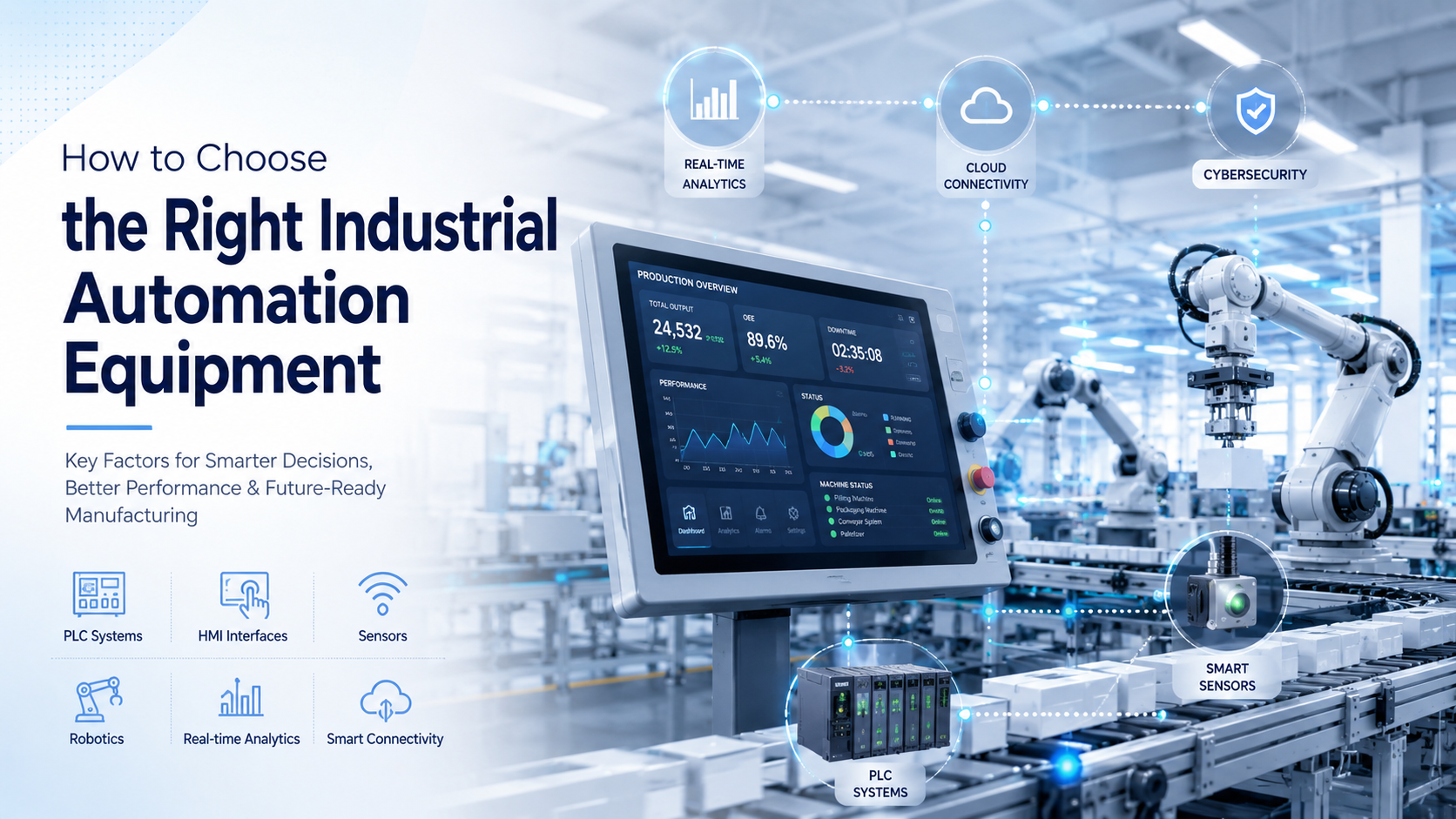
Choosing the right industrial automation equipment means matching your production needs with scalable, compatible systems that reduce downtime and improve efficiency. Focus on compatibility, future expansion, energy use, and total cost of ownership not just the upfront price.
I’ve worked with dozens of factories over the years. And here’s what I’ve noticed: businesses often buy automation equipment the same way they buy a new truck. They look at the price tag, check a few features, and make a quick decision.
But here’s the problem. A bad automation choice can cost you hundreds of thousands in downtime, compatibility issues, and wasted labor.
In this guide, I’m going to walk you through exactly how to choose industrial automation equipment that actually works for your factory. No sales pitch. Just practical advice based on what I’ve seen work (and fail) in real production environments.
Let’s get into it.
What Is Industrial Automation Equipment?
Definition of Industrial Automation
Industrial automation is basically using smart machines to control production processes. Instead of relying on workers to manually operate every step, you use sensors, controllers, software, and robotics to handle repetitive tasks.
Think of it like cruise control for your factory. Once you set the system up, it runs on its own with minimal human input.
The core idea? Replace manual work with intelligent systems that are faster, more accurate, and more consistent.
Common Types of Automation Equipment
Here’s a quick breakdown of the most common equipment you’ll find in automated factories:
- PLCs (Programmable Logic Controllers) – The brain of your automation system. They control machines based on programmed logic.
- HMIs (Human Machine Interfaces) – Touchscreen displays that let operators monitor and control equipment in real time.
- Industrial Sensors – Devices that detect temperature, pressure, motion, or proximity to trigger automated actions.
- Servo Motors and Drives – Precise motors that control speed and position in robotic arms and conveyor systems.
- Industrial Robots – Automated machines that handle tasks like welding, assembly, and material handling.
- SCADA Systems – Software that collects data from machines and gives you a bird’s-eye view of your entire operation.
- VFDs (Variable Frequency Drives) – Controllers that adjust motor speed to save energy and improve performance.
- Industrial Networking Devices – Equipment that connects all your machines so they can communicate with each other.
Industries That Use Automation Equipment
Pretty much every major industry uses automation now. Manufacturing plants use robots for assembly lines. Automotive factories rely on PLCs and servo motors for precision welding.
Food processing plants use sensors and conveyors to sort and package products. Pharmaceutical companies need automation for sterile environments and exact measurements.
Even warehouses and logistics centers use automated sorting systems and robotic pickers. If you’re making, moving, or packaging products at scale, automation is probably already part of your operation—or should be.
Why Choosing the Right Automation Equipment Is Critical
Productivity and Operational Efficiency
The right automation equipment speeds up your production cycles. Instead of waiting for manual processes, machines run 24/7 without breaks, sick days, or shift changes.
I’ve seen factories double their output just by switching from manual to automated packaging lines. That’s not an exaggeration. When you remove human bottlenecks, production flows faster.
Less downtime. Faster cycles. More output. That’s the whole point.
Equipment Reliability and Downtime Reduction
Here’s the truth: cheap automation equipment breaks down. And when it breaks, your entire production line stops. That’s thousands of dollars lost per hour.
Reliable systems are built to last. They have preventive maintenance features that alert you before something fails. That means you can fix issues during scheduled downtime instead of scrambling during a production run.
I always tell people: pay a little more upfront for reliable equipment, or pay a lot more later in downtime costs.
Long-Term Cost Savings
Automation reduces labor costs. That’s obvious. But it also cuts energy consumption, reduces material waste, and improves product consistency.
Over five years, a well-chosen automation system can save you hundreds of thousands of dollars. The key is thinking beyond the sticker price and calculating total cost of ownership.
Workplace Safety and Compliance
Automation keeps workers out of dangerous situations. Instead of manually handling heavy materials or working near high-temperature equipment, robots do the risky work.
Plus, automated systems can monitor safety conditions in real time. If a machine overheats or a pressure valve fails, the system shuts down automatically.
This isn’t just about protecting workers. It’s about avoiding OSHA violations and liability lawsuits.
Future Scalability
What happens when your business grows? Can your automation system handle more production volume? Can it integrate with new technologies like IoT sensors or cloud-based monitoring?
If you choose equipment that can’t scale, you’ll have to rip it out and start over. That’s expensive and disruptive.
Always think about where your factory will be in five years. Not just where it is today.
Key Factors to Consider Before Choosing Industrial Automation Equipment
Understand Your Production Requirements
Before you even look at equipment, you need to understand what you’re actually producing. What’s your daily production volume? How complex are your processes?
Are you running simple, repetitive tasks like bottling or packaging? Or are you doing precision assembly with multiple steps?
Don’t automate just because everyone else is doing it. Automate the parts of your operation that actually benefit from it.
Define Your Automation Goals
Why are you automating? Be specific. Are you trying to increase production speed by 30%? Reduce labor costs by 20%? Improve product quality and reduce defects?
Your goals determine what equipment you need. If speed is your main concern, you’ll prioritize fast servo motors and high-throughput conveyors. If quality is the goal, you’ll focus on precision sensors and feedback systems.
Write down your goals before you start shopping. It keeps you focused.
Evaluate Compatibility With Existing Systems
Here’s a mistake I see all the time: businesses buy cutting-edge automation equipment without checking if it works with their existing machines.
If your current factory uses Siemens PLCs and you buy Allen-Bradley robots that don’t communicate with them, you’re in trouble. You’ll need expensive adapters, custom programming, or even a complete system overhaul.
Always check communication protocols and software compatibility before you buy.
Consider Scalability
Can this equipment grow with you? If you double your production volume next year, will you need to replace everything?
Look for modular systems. These let you add more sensors, I/O modules, or robotic units without replacing the core system.
Also, make sure the equipment supports cloud connectivity and IoT integration. That’s where manufacturing is headed.
Analyze Environmental Conditions
Where will this equipment operate? Is it a dusty warehouse? A high-temperature foundry? A clean room with strict contamination controls?
Not all equipment is built for harsh environments. You need to check IP ratings (Ingress Protection). An IP65 rating means the equipment can handle dust and water jets. An IP20 rating? Not so much.
Match the equipment to your environment, or it won’t last.
Energy Efficiency
Energy costs add up fast. A motor that uses 20% more power than a newer model might save you $500 upfront, but it’ll cost you thousands more in electricity over five years.
Look for equipment with smart energy monitoring. VFDs, for example, adjust motor speed based on load, which cuts energy use significantly.
Sustainability isn’t just a buzzword anymore. It’s a real cost factor.
Ease of Use and Operator Training
If your operators can’t figure out how to use the equipment, it’s useless. A complicated HMI with confusing menus slows down production and frustrates workers.
Look for user-friendly interfaces. Touchscreens with simple navigation. Clear error messages. Intuitive controls.
Also, consider training requirements. Some systems need weeks of specialized training. Others can be learned in a day.
The easier it is to use, the faster your team adopts it.
Maintenance and Support Availability
What happens when something breaks? Can you get spare parts quickly? Does the vendor offer 24/7 support?
Some equipment suppliers have parts warehouses across the country. Others ship from overseas, which means you’re waiting weeks for a replacement sensor.
Ask about AMC (Annual Maintenance Contracts) and service agreements. You want a vendor who shows up fast when you need help.
Budget and Total Cost of Ownership
Everyone focuses on the purchase price. But that’s just the beginning. You also need to factor in installation costs, maintenance costs, software licensing, and training.
A $50,000 PLC system might seem expensive. But if it lasts 15 years with minimal maintenance, it’s cheaper than a $30,000 system that breaks down every year.
Calculate total cost of ownership, not just upfront cost.
How to Choose the Right PLC System
Small vs Large PLC Systems
Compact PLCs are great for small operations. They’re affordable, easy to install, and handle basic automation tasks. Think simple conveyor controls or basic packaging lines.
Modular PLCs are for larger operations. They have expandable I/O (input/output) slots, which means you can add more sensors and controls as your factory grows.
If you’re just starting out, a compact PLC is fine. But if you plan to scale, go modular.
Important PLC Selection Criteria
Here’s what matters when choosing a PLC:
- I/O Capacity – How many sensors and devices can it control?
- Processing Speed – Can it handle complex logic in real time?
- Communication Options – Does it support Modbus, EtherNet/IP, or PROFINET?
- Expansion Capabilities – Can you add more modules later?
Don’t buy a PLC that’s maxed out on I/O from day one. Leave room for growth.
Popular PLC Brands
The big names in PLCs are Siemens, Allen-Bradley, Mitsubishi, Schneider Electric, and Omron. All of them make solid products.
Siemens and Allen-Bradley dominate in the US. They’re reliable, well-supported, and have huge ecosystems of compatible devices.
Mitsubishi and Omron are popular in Asia but also work great in the US. Schneider Electric is strong in Europe but gaining traction here.
Pick a brand that has good local support. That matters more than brand name.
Choosing the Right HMI for Industrial Operations
Importance of HMI in Automation
An HMI is how operators interact with your machines. It displays real-time data, lets workers adjust settings, and alerts them to problems.
Without a good HMI, operators are flying blind. They don’t know if production is running smoothly or if a machine is about to fail.
Think of it as the dashboard in your car. You need it to see speed, fuel, and warning lights.
Key Features to Look For
Here’s what makes a good HMI:
- Touchscreen Responsiveness – Laggy screens frustrate operators.
- Display Size – Bigger screens show more data at once.
- Remote Access – Can you monitor the HMI from your phone or laptop?
- Data Visualization – Charts and graphs make it easier to spot problems.
I’ve seen factories waste money on tiny, hard-to-read HMIs. Don’t be cheap here. A clear, responsive display makes a huge difference.
Industrial HMI Design Considerations
Industrial HMIs take a beating. Workers press them with gloves. They get splashed with water or oil. They sit in dusty, hot environments.
You need a rugged design. Check the IP rating. Look for reinforced glass and sealed touchscreens.
Also, make sure the interface is easy to navigate. Workers shouldn’t need a manual to change a setting.
A good HMI should feel like using a smartphone, not a 1990s computer.
Selecting the Right Industrial Sensors
Types of Sensors
Sensors are the eyes and ears of your automation system. They detect physical conditions and send signals to your PLC.
- Proximity Sensors – Detect when an object is near without touching it.
- Temperature Sensors – Monitor heat levels in real time.
- Pressure Sensors – Measure force in hydraulic or pneumatic systems.
- Motion Sensors – Detect movement for safety or quality control.
Different sensors serve different purposes. You wouldn’t use a temperature sensor to detect motion. Choose based on your specific needs.
Sensor Selection Factors
Here’s what to consider:
- Accuracy – How precise does the measurement need to be?
- Detection Range – How far away can it sense objects?
- Response Time – How fast does it react?
- Environmental Resistance – Can it handle dust, moisture, or vibration?
A cheap sensor might work fine in a clean environment. But in a foundry or chemical plant, you need something tougher.
Don’t cut corners on sensors. They’re the foundation of your entire automation system.
How Industrial Robotics Can Improve Manufacturing
Types of Industrial Robots
Robots aren’t one-size-fits-all. Different types handle different tasks:
- Articulated Robots – Multi-jointed arms that mimic human movement. Great for welding and assembly.
- SCARA Robots – Fast, precise robots for pick-and-place operations.
- Collaborative Robots (Cobots) – Designed to work safely alongside humans without cages.
Cobots are gaining popularity because they’re easier to program and safer to use. Traditional robots require safety barriers. Cobots don’t.
Factors to Consider
When choosing a robot, think about:
- Payload Capacity – How much weight can it lift?
- Reach and Speed – Can it move fast enough for your production pace?
- Precision Requirements – Does it need millimeter accuracy, or is rough positioning okay?
A packaging robot doesn’t need the precision of a surgical robot. Match the specs to your actual needs.
When Businesses Should Invest in Robotics
Robots make sense for high-volume manufacturing. If you’re producing thousands of units per day, the ROI is clear.
They’re also great for repetitive tasks like welding, painting, or material handling. These jobs are boring for humans but perfect for robots.
And if you’re facing labor shortages—which most manufacturers are—robots fill the gap.
But if you’re a small batch producer with constantly changing products, robots might not be worth it yet.
Importance of Industrial Communication Protocols
Common Industrial Protocols
For your automation equipment to work together, it needs to speak the same language. That’s where communication protocols come in.
- Modbus – Old but reliable. Still widely used.
- EtherNet/IP – Common in North America, especially with Allen-Bradley systems.
- PROFINET – Siemens’ preferred protocol. Fast and reliable.
- CAN Bus – Used in automotive and mobile equipment.
If your PLC uses EtherNet/IP and your sensors use Modbus, you’ll need a gateway to translate between them. That adds cost and complexity.
Why Communication Compatibility Matters
Seamless data exchange is critical. Your PLC needs to talk to your HMI. Your robots need to talk to your SCADA system.
If communication breaks down, your entire factory grinds to a halt. I’ve seen plants lose a full day of production because of a protocol mismatch.
Always check protocol compatibility before you buy.
Smart Manufacturing and Industry 4.0 Considerations
IoT-Enabled Automation Equipment
IoT (Internet of Things) means your machines are connected to the internet. They send real-time data to the cloud. You can monitor them from anywhere.
This enables predictive maintenance. Sensors detect when a motor is running hot or a bearing is wearing out. You get an alert before it fails.
That’s huge. Instead of reactive repairs, you do proactive maintenance. Less downtime. Lower costs.
AI and Data Analytics Integration
AI takes automation to the next level. It analyzes production data and finds patterns humans miss. Maybe a certain machine runs slower on hot days. Or defects spike after a shift change.
AI spots these trends and suggests optimizations. Over time, your production becomes more efficient without manual tweaking.
This isn’t science fiction. Companies like Siemens and Rockwell already offer AI-powered analytics tools.
Cloud Connectivity
Cloud-based systems let you manage multiple facilities from one dashboard. You can monitor production in real time, compare performance across plants, and make data-driven decisions.
Remote operations management is especially valuable now. Your engineers don’t need to be on-site to troubleshoot problems.
The future of manufacturing is connected. Make sure your equipment supports it.
Common Mistakes to Avoid When Buying Industrial Automation Equipment
Choosing Based Only on Price
I get it. Budgets are tight. But the cheapest option usually costs more in the long run.
Cheap equipment breaks down. It lacks features. It’s hard to support. You’ll spend more on repairs and replacements than you saved upfront.
Focus on value, not just price.
Ignoring Future Expansion
Your factory won’t stay the same size forever. If you buy equipment that can’t scale, you’ll regret it.
Always ask: Can I add more capacity later? Can this system integrate with future technologies?
Overlooking Maintenance Requirements
Some equipment needs constant maintenance. Filters to change. Software to update. Parts to replace.
Before you buy, ask about maintenance schedules and spare parts availability. A system that requires monthly service visits might not be practical.
Buying Incompatible Systems
This is the #1 mistake I see. Businesses buy equipment from different vendors without checking if it all works together.
Then they spend thousands on custom integration or middleware. Or worse, they can’t integrate at all.
Standardize your equipment whenever possible.
Ignoring Cybersecurity Risks
Connected equipment is vulnerable to cyberattacks. Hackers can shut down your factory or steal production data.
Make sure your equipment has basic security features. Encrypted communication. Secure login. Regular firmware updates.
Don’t assume you’re too small to be a target. Cybercriminals go after easy victims, not just big companies.
Questions to Ask Automation Equipment Suppliers
Before you buy, grill your supplier with these questions:
- What industries do you specialize in? – You want a vendor who understands your specific needs.
- What certifications do your products have? – UL, CE, ISO certifications matter.
- What is the warranty period? – A short warranty is a red flag.
- Do you provide installation support? – Some vendors sell and disappear.
- Is remote troubleshooting available? – Can they diagnose problems without coming on-site?
- How scalable is the solution? – Can you expand without replacing everything?
- What training is included? – Make sure they train your team.
A good supplier will answer all these questions confidently. If they hesitate or dodge, walk away.
Benefits of Working With a Custom Industrial Automation Partner
Tailored Automation Solutions
Off-the-shelf systems don’t always fit your needs. A custom automation partner designs solutions around your specific production process.
They understand your challenges. They build systems that solve your actual problems, not generic ones.
Faster Integration
Custom partners handle the entire integration process. They connect your new equipment to your existing systems. They test everything before it goes live.
That means less downtime during the transition. You’re not figuring it out as you go.
Better Technical Support
When something breaks, you have a dedicated team that knows your system inside and out. They don’t need to dig through manuals or guess at solutions.
That’s worth the extra cost. Fast support saves you money in the long run.
Improved ROI and Operational Performance
Custom solutions are optimized for your factory. That means better performance, fewer bottlenecks, and faster ROI.
You’re not paying for features you don’t need. And you’re not missing features you do need.
If you have unique production requirements, a custom partner is worth considering.
Future Trends in Industrial Automation Equipment
AI-Powered Automation
AI is already changing manufacturing. But we’re just scratching the surface. In the next few years, AI will manage entire production lines with minimal human input.
It’ll adjust machine settings in real time. Predict equipment failures before they happen. Optimize production schedules dynamically.
This isn’t hype. It’s already happening in advanced factories.
Edge Computing
Edge computing means processing data right at the machine, not in the cloud. That reduces latency and improves response times.
For real-time automation, edge computing is critical. You can’t wait for data to travel to the cloud and back when a machine needs to adjust instantly.
Digital Twins
A digital twin is a virtual replica of your factory. It simulates production processes so you can test changes before implementing them.
Want to see if a new conveyor layout improves throughput? Run it in the digital twin first. No risk. No downtime.
This technology is becoming more accessible. It’s not just for giant corporations anymore.
Collaborative Robotics
Cobots are getting smarter and more affordable. They’re easier to program. They work safely alongside humans. They adapt to different tasks.
Expect to see cobots in more small and medium-sized factories. They’re no longer just for the big players.
Sustainable Smart Factories
Sustainability is driving innovation. Factories are using automation to reduce energy consumption, minimize waste, and lower emissions.
Smart sensors optimize energy use. AI reduces material waste. Cloud systems track environmental impact.
The factories of the future will be greener, not just more efficient.
Conclusion
Choosing the right industrial automation equipment isn’t about buying the most expensive system or the latest technology. It’s about understanding your production needs, planning for growth, and investing in reliable, compatible systems.
Focus on total cost of ownership, not just the sticker price. Make sure your equipment can scale. Check compatibility with your existing systems. And work with suppliers who offer solid support.
The right automation equipment improves productivity, reduces downtime, and positions your factory for long-term success. But only if you choose wisely.
Take your time. Ask the right questions. Think five years ahead, not just five months.
And remember: the goal isn’t just to automate. It’s to automate smart.
FAQs
Compatibility with your existing systems. If your new equipment can’t communicate with your current machines, you’ll face expensive integration problems.
It varies widely. A basic PLC system might cost $5,000-$15,000. A full robotic assembly line can run $500,000 or more. Focus on ROI, not just upfront cost.
Yes. Start with small, modular systems. Automate one process at a time. You don’t need to automate your entire factory on day one.
A PLC controls individual machines. A SCADA system monitors and manages multiple machines across your entire facility. They often work together.
It depends on complexity. A simple conveyor system might take a week. A full factory automation project can take 6-12 months or longer.
Not necessarily. Many automation systems integrate with legacy equipment. Talk to your supplier about retrofit options before replacing everything.