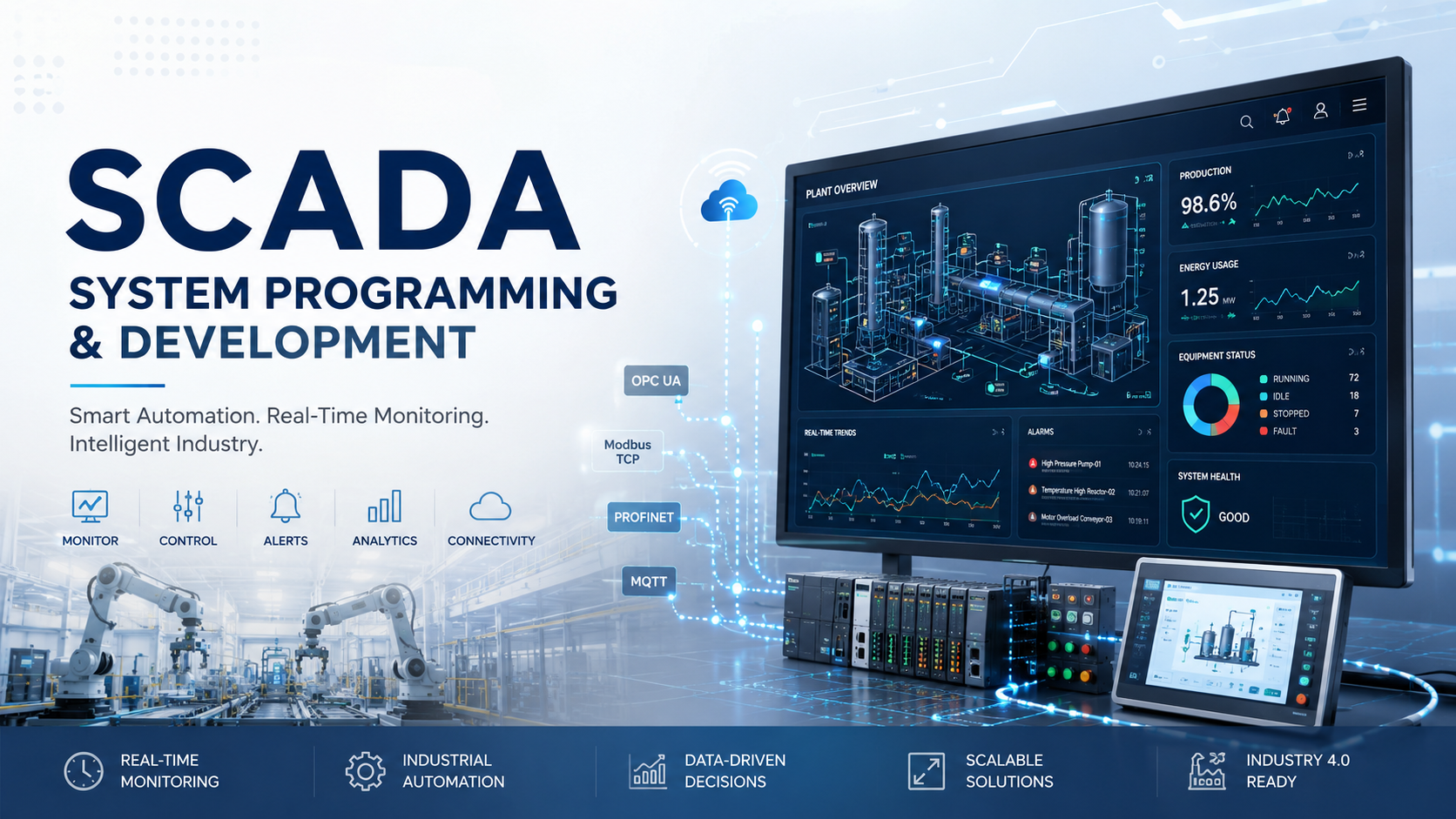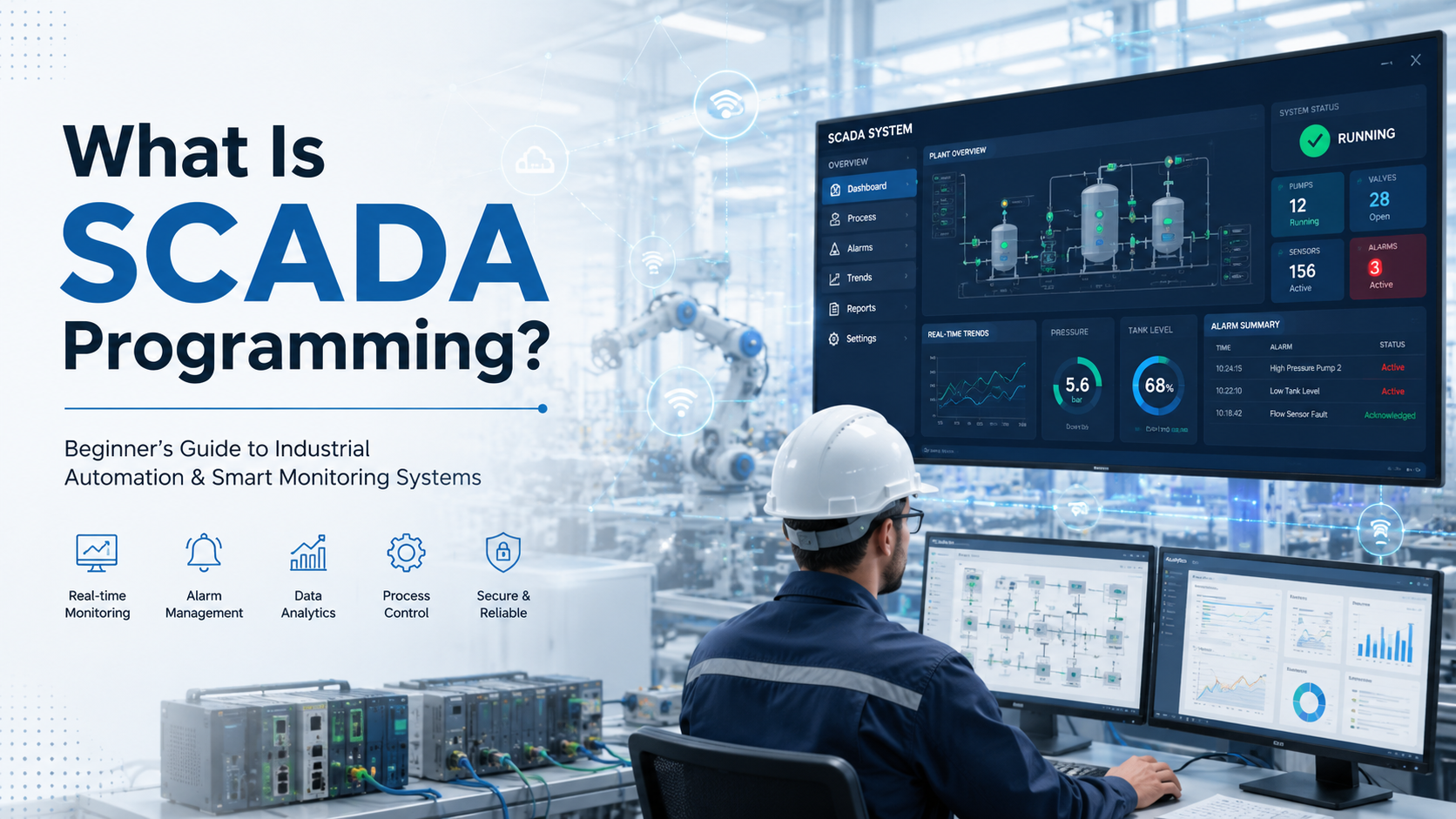
SCADA programming is the process of configuring and coding industrial automation systems that monitor and control equipment across factories, power plants, and infrastructure facilities. It involves writing scripts, designing operator interfaces, and connecting field devices to centralized control systems.
In the age of Industry 4.0, SCADA has become the backbone of smart manufacturing and connected infrastructure. Factories use it to monitor production lines in real time. Power plants rely on it to balance grid loads. Water treatment facilities use it to ensure safe drinking water delivery. Oil and gas companies depend on it to manage remote pipeline operations across thousands of miles.
This guide breaks down everything you need to know about SCADA programming. You’ll learn what SCADA systems do, how they work, what components they use, and why businesses invest in professional SCADA implementation. Whether you’re new to industrial automation or looking to upgrade legacy systems, this article gives you a practical foundation.
What Is SCADA Programming?
SCADA Meaning Explained
SCADA stands for Supervisory Control and Data Acquisition. It’s a control system architecture that uses computers, networked data communications, and graphical user interfaces to enable high-level process supervisory management.
Think of SCADA as the nervous system of industrial operations. It collects data from sensors and equipment spread across a facility, processes that information, and presents it to operators through visual dashboards. Operators can then make decisions and send control commands back to the field devices.
A SCADA system is the complete hardware and software setup. SCADA programming is the technical work of making that system function by writing code, configuring screens, setting up alarms, and connecting devices.
What Does SCADA Programming Actually Involve?
SCADA programming covers several technical activities that bring industrial systems to life.
Configuring HMIs means designing the visual interfaces operators use to monitor equipment. These dashboards show tank levels, machine speeds, temperature readings, and other process variables in real time.
Writing automation scripts involves coding the logic that responds to system events. When a pressure sensor detects an unsafe condition, a script can automatically shut down equipment or alert personnel.
Connecting PLCs and RTUs requires setting up communication between field controllers and the SCADA server. This involves configuring network addresses, choosing protocols, and mapping data points.
Alarm management means programming the conditions that trigger warnings. You define what qualifies as a problem, who gets notified, and how urgently they need to respond.
Data logging and visualization captures historical trends for analysis. SCADA systems record process variables over time so engineers can spot patterns, optimize performance, and troubleshoot issues.
Why SCADA Programming Matters in Industrial Automation
Modern factories and infrastructure facilities cannot function without centralized monitoring. SCADA programming makes that possible.
Centralized monitoring puts all critical information in one place. Instead of walking the plant floor to check individual machines, operators view everything from a control room.
Real-time industrial control means faster response to problems. When a motor overheats or a valve malfunctions, operators know immediately and can take action before damage occurs.
Faster decision-making comes from having complete visibility into operations. Production managers can adjust schedules based on actual equipment status rather than guesswork.
Reduced downtime results from catching problems early. Predictive alarms and trend analysis help maintenance teams fix issues before they cause expensive shutdowns.
Here’s a real-life example: A food processing plant uses SCADA to monitor refrigeration systems across multiple buildings. Temperature sensors feed data to the SCADA server every few seconds. If a cooling unit fails, the system alerts technicians within minutes instead of hours. That quick response prevents thousands of dollars in spoiled inventory.
How a SCADA System Works
Step-by-Step Working of SCADA
Understanding the SCADA workflow helps clarify what programming work is required at each stage.
Sensors collect data from physical equipment. Temperature probes measure heat. Pressure transducers monitor force. Flow meters track liquid movement. These sensors output electrical signals that represent real-world conditions.
PLCs and RTUs process signals at the field level. A PLC reads the raw sensor signal, converts it to engineering units, and performs basic control logic. An RTU does similar work but typically handles remote locations where PLCs aren’t practical.
Data moves through industrial networks using protocols designed for reliability and speed. Ethernet cables, fiber optics, or wireless links carry information from field devices to the SCADA server.
SCADA software visualizes data on operator workstations. The software receives data packets, updates database values, and refreshes graphical displays so operators see current conditions.
Operators monitor and control systems using mouse clicks, keyboard commands, or touchscreen interactions. They can change setpoints, start and stop equipment, or acknowledge alarms.
Basic SCADA Architecture Explained
A typical SCADA system has six core layers that work together.
Field devices are the sensors and actuators attached to industrial equipment. They measure variables like temperature, pressure, flow, level, and speed. They also include final control elements like motor starters, valves, and variable frequency drives.
PLCs are ruggedized industrial computers that execute control logic. They run programs written in specialized languages and interface directly with field devices.
RTUs serve remote locations where running communication lines to a central PLC isn’t practical. They’re designed for harsh environments and can operate independently if network connections fail.
Communication systems include industrial networks like Ethernet/IP, Profinet, Modbus TCP, and wireless protocols. These networks must handle noisy electrical environments and maintain reliable data delivery.
SCADA server is the central computer that runs the supervisory software. It collects data from all PLCs and RTUs, stores historical information, and serves graphical interfaces to client workstations.
HMI dashboards are the screens operators use to interact with the system. Modern HMIs run on standard computers, tablets, or large wall-mounted displays.
SCADA Data Flow Example
Real-world scenarios make these concepts clearer.
Smart water tank automation: A level sensor at the bottom of a water tank sends a signal to a PLC every second. When the water level drops below 20%, the PLC sends a data update to the SCADA server. The SCADA software displays a low-level alarm on the operator’s screen and automatically sends a command to start the fill pump. As water enters the tank, the level sensor reports increasing values. When the tank reaches 90% full, the SCADA system stops the pump and logs the fill cycle duration for efficiency analysis.
Factory conveyor monitoring: Multiple conveyor belts move products through a manufacturing facility. Each belt has a speed sensor and motor current monitor connected to a PLC. The SCADA system collects speed and current data from all conveyors and displays them on a plant overview screen. If a conveyor belt slows down unexpectedly, the SCADA system detects the speed drop, triggers an alarm, and highlights the affected conveyor in red on the dashboard. Maintenance crews can respond immediately instead of waiting for a complete jam.
Centralized vs Distributed SCADA Systems
SCADA architecture has evolved significantly over the decades.
Traditional SCADA used monolithic systems where a single mainframe computer handled all processing. These systems were expensive, difficult to upgrade, and created single points of failure.
Distributed SCADA spread processing across multiple servers and workstations connected by local area networks. This improved reliability and performance but still required significant on-site infrastructure.
Networked and cloud SCADA leverages modern internet technology to enable remote access, mobile monitoring, and integration with enterprise systems. Data can be stored in cloud databases, and operators can view dashboards from anywhere with secure network access.
Main Components of a SCADA System
Human Machine Interface
The HMI is where humans and machines interact.
Dashboards present process information visually using gauges, meters, trend charts, and animated graphics. A well-designed dashboard shows the most critical information prominently while making detailed data available with a few clicks.
Real-time monitoring means the HMI updates continuously as conditions change. There’s no need to refresh the page or query for new data manually.
Control panels give operators the ability to adjust setpoints, start equipment, change modes, and acknowledge alarms. These controls must be designed carefully to prevent accidental operations that could damage equipment or endanger personnel.
PLCs (Programmable Logic Controllers)
PLCs are the workhorses of industrial automation.
Role in automation: PLCs execute the control logic that keeps equipment running safely and efficiently. They read inputs, make decisions based on programmed logic, and control outputs at speeds measured in milliseconds.
How PLCs and SCADA work together: The PLC handles fast, deterministic control like maintaining motor speeds or regulating pressures. SCADA provides the big-picture view and allows operators to change operating parameters. The PLC continues running even if SCADA communication fails, ensuring safe operation.
RTUs (Remote Terminal Units)
RTUs extend SCADA reach to remote locations.
Remote monitoring applications: Oil and gas companies use RTUs at wellheads and pumping stations spread across thousands of square miles. Water utilities use them at remote reservoirs and booster stations.
Utility and infrastructure use cases: Electric utilities monitor substations with RTUs. Transportation departments use them to track traffic signals and highway systems. These applications need devices that withstand extreme temperatures, operate on solar power, and communicate over cellular networks.
Sensors and Actuators
These devices connect the digital control system to the physical world.
Temperature sensors use thermocouples, RTDs, or thermistors to measure heat in processes ranging from food production to metal smelting.
Pressure transducers monitor everything from hydraulic systems to natural gas pipelines. They convert mechanical force into electrical signals.
Motion sensors detect position, speed, and vibration. They’re critical for robotics, conveyor systems, and rotating equipment monitoring.
Industrial measurement systems also include flow meters, level sensors, pH probes, humidity sensors, and dozens of other specialized devices tailored to specific industries.
Communication Protocols
SCADA systems speak multiple languages to communicate with diverse equipment.
Modbus is one of the oldest and most widely supported protocols. It works over serial connections and Ethernet networks, making it popular for connecting legacy equipment.
OPC UA (Open Platform Communications Unified Architecture) is a modern, vendor-neutral protocol designed for interoperability between different manufacturers’ equipment.
Ethernet/IP is common in discrete manufacturing environments, especially with Rockwell Automation equipment.
MQTT (Message Queuing Telemetry Transport) is lightweight and efficient, making it popular for industrial IoT applications where bandwidth is limited.
DNP3 (Distributed Network Protocol) is preferred in electric utility and water treatment applications because of its robust error handling and timestamp capabilities.
SCADA Servers and Databases
Data storage is critical for analysis and compliance.
Historian databases are specialized time-series databases optimized for storing millions of sensor readings efficiently. They compress data intelligently while maintaining accuracy for trend analysis.
SQL integration allows SCADA systems to exchange information with enterprise databases. Production counts, quality metrics, and maintenance records can flow between SCADA and business systems.
Data storage importance extends beyond real-time monitoring. Regulatory compliance often requires keeping historical process data for years. Engineers use that data to optimize processes, validate quality, and investigate incidents.
What Does a SCADA Programmer Do?
Daily Responsibilities
SCADA programmers wear many technical hats.
Designing HMI screens involves laying out graphics, choosing colors, sizing text, and organizing information so operators can understand system status at a glance.
Configuring alarms and notifications means defining trigger conditions, setting priority levels, determining notification methods, and avoiding alarm floods that overwhelm operators.
Connecting industrial devices requires configuring communication drivers, mapping data tags, testing connectivity, and troubleshooting network issues.
Writing automation logic uses scripting languages to create conditional responses, mathematical calculations, and automated sequences that reduce operator workload.
Testing and debugging systems ensures everything works correctly before production. This includes simulating failure conditions, verifying alarm responses, and validating data accuracy.
Skills Required for SCADA Programming
Effective SCADA programming requires a blend of technical abilities.
PLC basics help you understand how field controllers work, what timing constraints they have, and how to optimize data exchange.
Industrial networking knowledge covers Ethernet, serial communications, wireless technologies, and troubleshooting connectivity problems in electrically noisy environments.
Troubleshooting skills let you diagnose problems when sensors fail, communications drop, or logic doesn’t behave as expected.
Scripting ability in languages like Python, VBScript, or JavaScript enables advanced automation features that standard configuration tools can’t handle.
Process visualization means understanding how to present complex information clearly so operators can make quick, correct decisions.
Tools Used by SCADA Engineers
Professional SCADA development requires specialized software.
SCADA software platforms like Ignition, WinCC, or FactoryTalk provide development environments for building HMI screens, configuring tags, and setting up alarms.
PLC programming tools such as RSLogix, TIA Portal, or CoDeSys let you write and test control logic that runs on field controllers.
Industrial communication analyzers like Wireshark with industrial protocol plugins help diagnose network problems and verify data integrity.
Database tools including SQL Server Management Studio or historian-specific interfaces manage data storage and retrieval.
Industries Using SCADA Programming
SCADA technology spans nearly every sector that relies on automated equipment.
Manufacturing facilities use SCADA to coordinate production lines, monitor quality metrics, and track overall equipment effectiveness.
Oil and gas operations depend on SCADA for pipeline monitoring, well automation, and terminal operations across vast geographic areas.
Smart factories integrate SCADA with MES and ERP systems to create fully connected digital operations.
Energy sector applications include power generation, transmission monitoring, renewable energy management, and grid balancing.
Water treatment plants use SCADA to monitor water quality, control chemical dosing, manage pumping stations, and ensure regulatory compliance.
Transportation systems rely on SCADA for traffic management, railway signaling, airport operations, and port logistics.
Types of SCADA Systems
Monolithic SCADA Systems
Early-generation systems represented the first wave of computerized industrial control.
These mainframe-based architectures ran on proprietary hardware and software. Everything happened on a single computer or redundant pair. Expansion was expensive and limited. Most of these systems have been replaced, but some legacy installations still operate in older facilities.
Distributed SCADA Systems
LAN-based industrial monitoring marked a major advancement.
Processing spread across multiple computers connected by local networks. The operator workstation, data server, and communication server could run on separate machines. This improved performance and reliability compared to monolithic systems.
Networked SCADA Systems
Ethernet-based communication opened new possibilities.
Multiple sites could share data over wide area networks. Different vendors’ equipment could interoperate using standard protocols. System expansion became more modular and cost-effective.
Cloud-Based Modern SCADA
Remote access and web dashboards define current systems.
Operators can monitor facilities from smartphones or tablets. Cloud storage provides virtually unlimited historical data capacity. Web-based HMIs require no special client software installation.
Mobile monitoring means maintenance personnel receive alerts wherever they are and can check system status before driving to a site.
Edge SCADA and Industrial IoT
Smart manufacturing trends are pushing intelligence closer to field devices.
Edge computing processes data locally before sending it to central servers. This reduces network traffic and enables faster responses.
Real-time analytics at the edge can detect anomalies, predict failures, and optimize processes autonomously. When combined with machine learning, edge SCADA systems continuously improve their performance.
SCADA Programming Languages and Technologies
PLC Programming Languages
Industrial control standards define five programming languages.
Ladder Logic resembles electrical relay diagrams and remains popular because electricians find it intuitive. It’s visual and works well for discrete manufacturing applications.
Structured Text looks like traditional programming languages such as Pascal or C. It handles complex math and data manipulation more efficiently than ladder logic.
Function Block Diagram uses graphical blocks that represent functions, making it good for process control and analog calculations.
Scripting Languages Used in SCADA
Higher-level languages add flexibility beyond standard configuration.
Python is increasingly common for data analysis, custom calculations, and integration with external systems. Its extensive libraries make it versatile.
JavaScript powers many modern web-based SCADA platforms. It enables dynamic content, responsive interfaces, and client-side processing.
VBScript still appears in older SCADA systems, particularly those based on Windows. Legacy systems often contain significant VBScript code.
Database Technologies in SCADA
Data management underpins effective SCADA systems.
SQL databases store configuration data, alarm history, and non-time-series information. They integrate easily with enterprise applications.
Historian databases from vendors like OSIsoft, AspenTech, or Canary Labs specialize in time-series data. They compress decades of sensor readings into manageable storage sizes while maintaining query performance.
Real-time analytics query engines process live data streams to detect patterns, calculate KPIs, and trigger alerts based on complex conditions.
APIs and Modern Integrations
Connecting SCADA to enterprise systems creates business value.
MES integration links manufacturing execution systems with real-time production data. This enables accurate scheduling, quality tracking, and traceability.
ERP connectivity flows data between SCADA and enterprise resource planning systems. Production counts, downtime events, and material usage automatically update business records.
Cloud platforms like AWS IoT, Azure IoT, or Google Cloud IoT Core provide scalable infrastructure for data storage, analytics, and machine learning applications.
Popular SCADA Software Platforms
Top SCADA Platforms Used in Industry
Several vendors dominate the industrial automation market.
Siemens WinCC integrates tightly with Siemens PLCs and is extremely popular in process industries worldwide. It offers powerful graphics and extensive protocol support.
Schneider Electric AVEVA/Wonderware has a long history in SCADA and is known for its System Platform architecture that separates design from deployment.
Rockwell Automation FactoryTalk is the natural choice for facilities using Allen-Bradley PLCs. It provides deep integration with Rockwell hardware.
Inductive Automation Ignition has gained significant market share with its unlimited licensing model and cross-platform capabilities. It runs on Windows, Linux, and Mac.
GE Vernova iFIX remains strong in power generation and other heavy industrial applications where reliability is paramount.
Open Source vs Commercial SCADA
Budget and control considerations drive this choice.
Cost differences are significant. Commercial licenses can run tens or hundreds of thousands of dollars. Open source options like SCADA-LTS or OpenSCADA cost nothing for the software itself.
Flexibility favors open source. You can modify code, add features, and customize without vendor restrictions.
Security is more complex. Commercial vendors provide regular patches and security updates. Open source relies on community contributions or in-house expertise.
Scalability varies by product rather than by licensing model. Some open source systems scale well; others hit limitations quickly.
How to Choose the Right SCADA Software
Several factors should guide your decision.
Industry size matters. Small facilities may need only a few tags and one workstation. Large operations might require thousands of tags, multiple servers, and dozens of client stations.
Integration support with your existing equipment is critical. Check protocol compatibility and driver availability before committing.
Licensing models vary widely. Some vendors charge per tag, others per server, and still others offer unlimited models. Calculate total cost of ownership over five to ten years.
Ease of use affects both initial development time and ongoing maintenance. Platforms with intuitive development environments reduce training requirements and speed deployment.
Real-World Applications of SCADA Programming
Manufacturing Plants
Production environments demonstrate SCADA’s versatility.
Conveyor systems throughout a facility coordinate material movement. SCADA tracks conveyor speeds, detects jams, and sequences operations to maintain production flow.
Robotics monitoring shows robot status, cycle counts, error conditions, and performance metrics. Maintenance teams receive alerts before robots fail.
Production tracking logs units produced, cycle times, downtime reasons, and overall equipment effectiveness automatically.
Water Treatment Plants
Clean water delivery depends on reliable automation.
Pump monitoring tracks flow rates, pressures, power consumption, and vibration levels. SCADA systems optimize pump scheduling to reduce energy costs while meeting demand.
Water quality control monitors pH, chlorine levels, turbidity, and other parameters continuously. Automated dosing systems maintain compliance with EPA regulations.
Energy and Power Grids
Electrical infrastructure requires sophisticated control.
Grid monitoring tracks voltage, current, frequency, and power factor across transmission and distribution networks. Load balancing algorithms maintain stability.
Power distribution automation reroutes electricity around faults, manages distributed generation sources, and coordinates demand response programs.
Oil and Gas Industry
Remote operations define this sector’s needs.
Pipeline monitoring measures flow, pressure, and temperature along thousands of miles. Leak detection algorithms alert operators to anomalies within minutes.
Remote site operations at wellheads, compressor stations, and storage facilities run with minimal personnel. SCADA provides visibility and control from central locations.
Smart Buildings and Infrastructure
Modern buildings increasingly rely on automation.
HVAC systems optimize comfort while minimizing energy consumption. SCADA integrates multiple buildings’ HVAC data for campus-wide efficiency.
Smart energy monitoring tracks consumption by zone, department, or tenant. Demand response capabilities reduce utility costs during peak periods.
SCADA Programming Example
Example Project: Water Tank Automation
Here’s how a simple SCADA project comes together.
Tank level sensor sends a signal between 4 and 20 milliamps representing 0% to 100% full. The sensor connects to a PLC analog input.
PLC reads signal and converts it to a percentage using a scaling function. If the level drops below 25%, the PLC sets a low level bit. If it exceeds 90%, it sets a high level bit.
SCADA dashboard visualization shows a graphical tank that fills and empties in real time. The current level percentage displays numerically. Color changes from green to yellow to red as the tank empties.
Automatic motor control starts the fill pump when the low level bit activates and stops it when the high level bit triggers. The SCADA system logs every start and stop with timestamps.
Example Alarm Workflow
Alarms turn sensor data into actionable information.
Pressure increase detected when a sensor reading exceeds a configured setpoint. The SCADA system evaluates this condition every scan cycle.
Alarm generated in the SCADA database with timestamp, severity level, and description. The HMI screen flashes and plays an audible tone.
Valve opens automatically based on programmed response logic. The SCADA system sends a command to the PLC to open a relief valve.
Operator receives notification via email, text message, or mobile app push notification. The notification includes location, severity, and current reading.
Sample SCADA Screen Elements
Effective HMIs use multiple visualization techniques.
Gauges show single-value readings like pressure or temperature at a glance. They provide instant status indication.
Charts plot multiple variables over time to reveal trends, cycles, and correlations that aren’t obvious from instantaneous values.
Alarm indicators use color, blinking, and priority levels to direct operator attention to the most critical issues first.
Trend graphs let operators zoom in and out of historical data to investigate events or optimize setpoints based on past performance.
SCADA vs PLC vs HMI
| Technology | Main Purpose | Example Use |
|---|---|---|
| SCADA | Monitoring and data acquisition | Plant-wide monitoring |
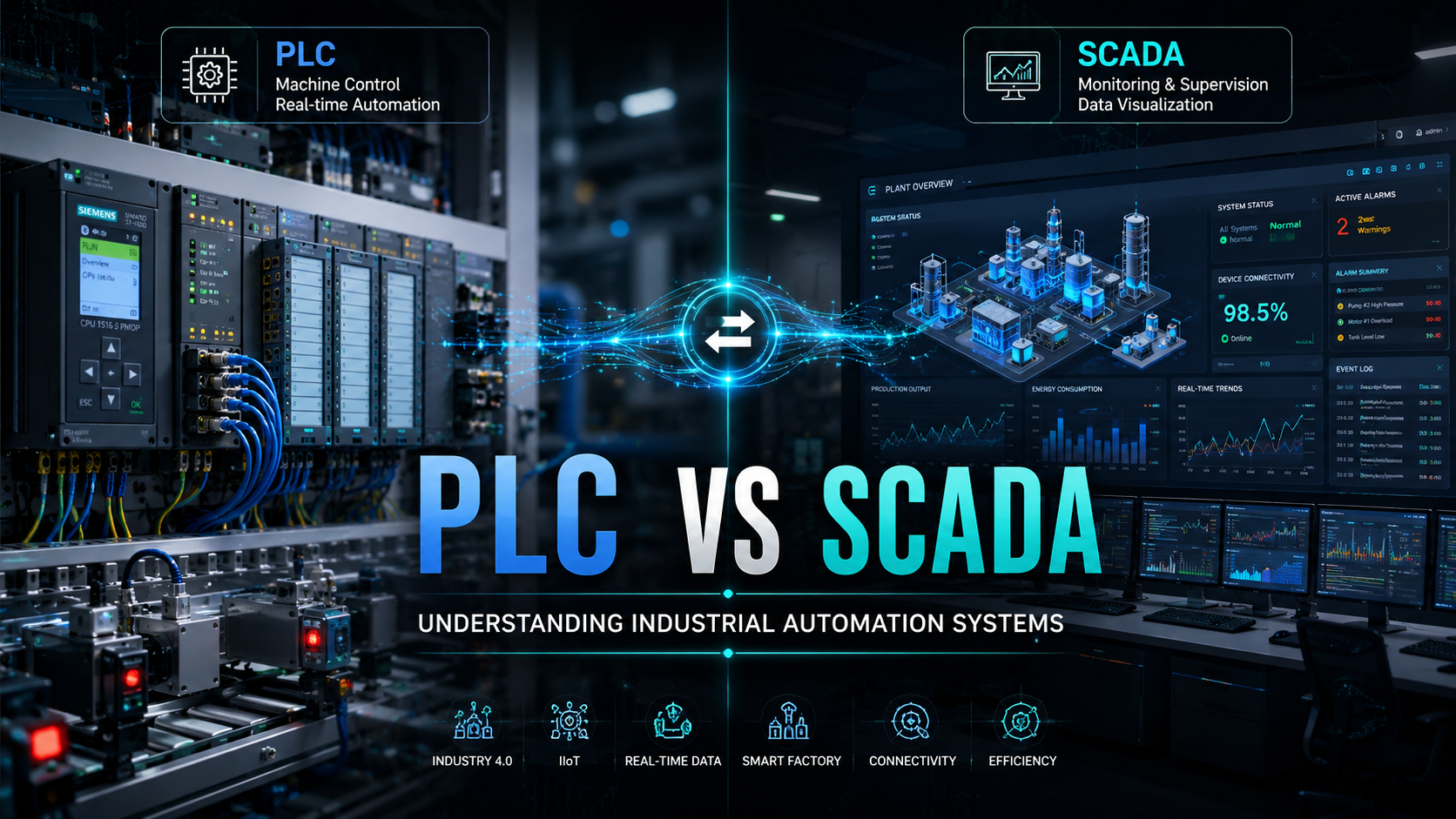
| PLC | Machine control | Conveyor logic |
| HMI | Operator interface | Touchscreen dashboard |
How SCADA, PLC, and HMI Work Together
A bottling line illustrates their relationship perfectly.
PLCs control individual machines like fillers, cappers, and labelers. Each PLC runs its control logic independently at millisecond speeds.
HMIs mounted at each machine give operators local control and status displays. Operators can start, stop, and adjust individual machines.
SCADA connects all the PLCs and HMIs into a unified system. Production managers see the entire line’s performance on a single screen. They can identify bottlenecks, track downtime, and optimize speeds across all machines simultaneously.
Benefits of SCADA Programming
Operational Benefits
Daily operations improve dramatically with proper SCADA implementation.
Real-time visibility eliminates guesswork. Operators know exactly what’s happening at every moment rather than relying on periodic inspections.
Faster troubleshooting comes from having complete data at your fingertips. When a problem occurs, historical trends and alarm logs show what led up to the failure.
Remote monitoring lets experienced personnel oversee multiple facilities without constant travel. Technicians can verify system status before making service calls.
Better productivity results from minimizing downtime and optimizing processes. Small improvements across many pieces of equipment compound into significant gains.
Business Benefits
Financial impact extends beyond the control room.
Lower downtime translates directly to higher revenue. Every minute of unplanned stoppage costs money in lost production and rush orders.
Better maintenance planning shifts work from reactive to preventive. Trending data shows when equipment needs attention before it fails catastrophically.
Reduced labor costs come from automating routine monitoring and control tasks. Operators focus on exceptions rather than constantly checking equipment.
Data-driven decisions replace intuition with facts. Process improvements and capital investments get justified with solid performance metrics.
Technical Benefits
Engineering teams appreciate SCADA’s capabilities.
Centralized control simplifies complex systems. Instead of coordinating dozens of independent controllers, one system orchestrates everything.
Historical data tracking provides the foundation for continuous improvement. You can’t optimize what you don’t measure.
Automation scalability means adding capacity doesn’t require redesigning entire systems. New equipment integrates into existing SCADA infrastructure.
Challenges in SCADA Programming
Cybersecurity Risks in SCADA
Industrial control systems face increasing threats.
Industrial hacking risks have escalated as SCADA systems connect to corporate networks and the internet. Nation-state actors target critical infrastructure.
OT security concerns differ from IT security. Operational technology runs 24/7, can’t tolerate downtime for patches, and often uses legacy protocols without authentication.
Legacy vulnerabilities persist in systems designed before cybersecurity was a priority. Old SCADA installations may run Windows XP or earlier operating systems that no longer receive updates.
Integration Problems
Connecting diverse equipment creates headaches.
Old machinery compatibility challenges arise when trying to add modern SCADA to decades-old equipment. Proprietary protocols and obsolete interfaces complicate integration.
Vendor lock-in occurs when one manufacturer’s ecosystem doesn’t play nicely with others. Migration becomes expensive and risky.
Network Reliability Issues
Communications failures disrupt operations.
Downtime risks increase when SCADA depends on fragile networks. A single switch failure shouldn’t cripple an entire plant.
Communication failures between field devices and SCADA servers cause data gaps, missed alarms, and loss of control.
Why Many Legacy SCADA Systems Struggle Today
Older installations face mounting problems.
Outdated architectures can’t support modern requirements like mobile access, cloud integration, or advanced analytics.
Poor interoperability makes adding new equipment difficult. Mixing vendors requires expensive gateway devices or custom programming.
Difficult scaling means capacity expansion triggers complete system replacement rather than incremental upgrades.
SCADA Security Best Practices
Network Segmentation
Isolating control systems protects critical operations.
Separate SCADA networks from business networks using firewalls and demilitarized zones. Air gaps provide maximum security for the most critical systems.
Firewalls and OT Security
Specialized industrial firewalls understand SCADA protocols.
They can inspect Modbus, DNP3, and other industrial traffic for malicious commands. Unlike IT firewalls, they’re designed for deterministic timing and can’t introduce latency.
Role-Based Access Control
Not everyone needs access to everything.
Operators should view data and control assigned equipment. Engineers need broader access for configuration changes. Management requires reporting access without control capabilities.
Secure Remote Access
VPNs and multi-factor authentication protect external connections.
Remote vendors and support personnel need access, but that access must be logged, time-limited, and monitored.
Backup and Disaster Recovery
Regular backups prevent catastrophic losses.
SCADA configurations, PLC programs, HMI projects, and historian databases should all backup automatically to secure, off-site locations.
Why SCADA Cybersecurity Is Becoming Critical
Modern threats target industrial systems specifically.
Industry 4.0 connectivity increases attack surface. Every network connection is a potential vulnerability.
Connected infrastructure challenges include shared supply chain risks, insider threats, and ransomware that encrypts SCADA servers.
The Evolution of SCADA Technology
Early Industrial Control Systems
Manual control dominated until the 1960s.
Operators walked plant floors reading gauges and adjusting valves by hand. Control rooms used panel boards with hundreds of individual instruments.
Rise of PLCs and RTUs
The 1970s brought programmable automation.
PLCs replaced relay logic panels. RTUs enabled remote monitoring over telemetry systems. Early SCADA software ran on minicomputers and used proprietary protocols.
Ethernet and Networked SCADA
The 1990s saw networking revolution.
Standard Ethernet replaced proprietary industrial networks. TCP/IP enabled connectivity between sites. Client-server architectures improved scalability.
Cloud and Web-Based SCADA
The 2010s brought internet technologies to SCADA.
Web browsers became HMI clients. Cloud storage replaced local historians. Mobile apps provided monitoring anywhere.
AI and Predictive Analytics in SCADA
Machine learning enhances modern systems.
Anomaly detection identifies problems before they cause failures. Predictive models optimize energy consumption and production schedules. Digital twins simulate process changes before implementing them.
Future of SCADA Programming in 2026 and Beyond
Several trends are shaping the next generation.
AI-powered monitoring automatically learns normal behavior and flags deviations without manual alarm configuration.
Predictive maintenance uses sensor data, operating conditions, and failure history to forecast exactly when components need replacement.
Industrial IoT connects every asset, from motors to bearings, gathering data that was previously invisible.
Edge computing processes data locally for faster response times while reducing bandwidth requirements.
Smart factories integrate SCADA with MES, ERP, quality systems, and supply chain management for fully connected digital operations.
Common Mistakes Companies Make in SCADA Implementation
Ignoring Cybersecurity Early
Security bolted on later costs more and works worse.
Design security into SCADA systems from the beginning. Network architecture, user authentication, and data encryption should be core requirements, not afterthoughts.
Poor HMI Design
Cluttered screens slow operators down and increase errors.
Bad HMI design includes too much information on one screen, inconsistent layouts between screens, poor color choices that hide important data, and lack of clear navigation.
Good design follows principles like display hierarchy, consistent symbology, appropriate use of color, and intuitive navigation that operators can master quickly.
Choosing Incompatible Hardware
Mixing equipment without checking compatibility causes integration nightmares.
Verify that PLCs, RTUs, sensors, and network equipment all support common protocols. Confirm driver availability in your SCADA platform before purchasing field devices.
Lack of Operator Training
The best SCADA system fails if operators don’t understand it.
Comprehensive training covers normal operation, alarm response procedures, emergency shutdowns, and troubleshooting common problems. Training should happen before go-live, not after problems occur.
No Backup or Redundancy Planning
Single points of failure guarantee eventual disasters.
Critical systems need redundant servers, backup communication paths, and documented recovery procedures. Test disaster recovery plans regularly rather than hoping they’ll work during an actual emergency.
Overcomplicated Automation Logic
Complex programming is harder to maintain and more prone to bugs.
Keep automation logic as simple as possible. Use standard functions rather than custom code when feasible. Document thoroughly so future programmers understand why decisions were made.
Real-world example: A chemical plant automated its batch process with nested if-then logic spanning hundreds of lines of code. When formulations changed, updating the logic took weeks and introduced errors. Refactoring to use recipe-based automation simplified maintenance dramatically.
Why Businesses Need Professional SCADA Programming Services
Challenges of DIY Industrial Automation
Internal teams face significant obstacles.
System downtime risks multiply when inexperienced programmers configure critical systems. Production losses from programming errors can exceed the cost of professional services many times over.
Improper integration creates problems that surface months later. Quick fixes and workarounds accumulate into unmaintainable systems.
Security vulnerabilities get overlooked by teams focused on functionality rather than protection. Industrial cybersecurity requires specialized knowledge.
Scalability issues emerge when systems aren’t designed for growth. Adding capacity requires expensive rework instead of straightforward expansion.
Benefits of Hiring SCADA Automation Experts
Professionals bring proven experience.
Faster deployment comes from established methodologies and templates. Experts avoid rookie mistakes that cause delays.
Reliable automation architecture uses industry best practices for redundancy, performance, and maintainability.
Better system efficiency results from optimized communications, properly sized servers, and tuned alarm parameters.
Long-term maintenance support means you have someone to call when problems arise or changes are needed.
How Professional SCADA Integration Improves Factory Operations
Real benefits show up on the bottom line.
Centralized monitoring implemented properly gives complete visibility without overwhelming operators with unnecessary data.
Production optimization uses historical analysis and process modeling to find efficiency improvements worth thousands or millions annually.
Real-time analytics configured by experts provide actionable insights rather than drowning users in raw data.
Predictive maintenance capabilities reduce unplanned downtime significantly when set up correctly with appropriate algorithms and thresholds.
SCADA Programming Services by AutomatexLab
What AutomatexLab Provides
Comprehensive automation solutions for industrial facilities.
SCADA system development creates custom supervisory control systems tailored to your specific processes and equipment.
HMI design and visualization produces intuitive operator interfaces that improve response times and reduce errors.
PLC-SCADA integration connects field controllers to supervisory systems using appropriate protocols and optimized communication strategies.
Industrial automation consulting helps you plan upgrades, select equipment, and design architectures that meet current needs and support future growth.
Remote monitoring setup enables off-site visibility and control with secure, reliable network configurations.
SCADA modernization services upgrade legacy systems to current technology while minimizing disruption to ongoing operations.
Industries Supported
Specialized experience across key sectors.
Manufacturing facilities benefit from production tracking, quality monitoring, and overall equipment effectiveness measurement systems.
Water treatment plants receive compliant SCADA systems that meet EPA reporting requirements and optimize chemical usage.
Industrial plants including chemical, food processing, and material handling operations get reliable automation that improves safety and efficiency.
Smart factories implementing Industry 4.0 initiatives integrate SCADA with MES, ERP, and analytics platforms for complete digital transformation.
Energy and utilities operations gain robust monitoring and control for power generation, distribution, renewable integration, and demand response.
Why Choose AutomatexLab
Practical advantages for your automation projects.
Customized automation solutions fit your exact requirements rather than forcing you into generic templates.
Scalable industrial systems grow with your business without requiring complete replacement.
Industry-focused implementation leverages deep knowledge of sector-specific challenges and regulatory requirements.
Reliable support and optimization continues long after initial deployment to ensure peak performance.
Looking to build or upgrade your industrial automation system?
AutomatexLab helps businesses implement reliable SCADA programming and industrial automation solutions tailored for modern factory operations and smart infrastructure. Contact us today to discuss your specific automation needs.
Wrapping Up
SCADA programming forms the foundation of modern industrial automation. As manufacturing becomes smarter and infrastructure more connected, demand for skilled SCADA professionals continues growing rapidly.
These systems provide the monitoring, control, and data analysis capabilities that separate efficient operations from wasteful ones. They enable predictive maintenance that prevents failures rather than reacting to them. They give managers the information needed to optimize processes and reduce costs.
SCADA has evolved from simple telemetry systems to sophisticated platforms integrating artificial intelligence, cloud computing, and mobile technology. The future brings even more capability as edge computing, digital twins, and advanced analytics become standard features.
Whether you’re starting a career in industrial automation or managing facility operations, understanding SCADA programming opens opportunities. For businesses, modernizing automation infrastructure with professional SCADA implementation delivers measurable returns through improved uptime, better quality, and lower operating costs.
The backbone of smart industry isn’t robots or artificial intelligence. It’s the SCADA systems that tie everything together, providing visibility and control that make automation possible.
FAQs
SCADA programming has a moderate learning curve. If you understand basic programming concepts and have some industrial knowledge, you can learn SCADA fundamentals in a few months. Mastery takes years of hands-on experience with real systems. The challenge lies not in the coding itself but in understanding industrial processes, networking, and the integration of diverse equipment.
SCADA uses multiple languages depending on the platform and task. PLC programming languages include Ladder Logic, Structured Text, and Function Block Diagram. SCADA scripting commonly uses Python, JavaScript, or VBScript. SQL handles database operations. Most SCADA platforms use graphical configuration tools that don’t require traditional coding for basic functionality.
A PLC is a field controller that executes fast, deterministic control logic for individual machines or processes. SCADA is a supervisory system that monitors multiple PLCs, logs data, provides operator interfaces, and enables centralized control. PLCs handle real-time control at the millisecond level. SCADA handles monitoring and coordination at the second or minute level. Most industrial systems use both working together.
Manufacturing, oil and gas, water treatment, power generation, transportation, building automation, and food processing all rely heavily on SCADA. Any industry with distributed equipment, remote monitoring needs, or complex automation requirements benefits from SCADA implementation. Critical infrastructure sectors are the largest users.
Yes, SCADA can connect directly to smart sensors and devices that communicate using protocols like Modbus or OPC UA. However, most industrial applications use PLCs because they provide local control that continues working even if SCADA communication fails. PLCs also handle fast, deterministic control that SCADA software running on standard computers cannot reliably perform.
HMI (Human Machine Interface) is the graphical screen operators use to interact with automation systems. SCADA is the complete system including HMI plus data acquisition, historical logging, alarming, and communication with field devices. You can have an HMI without full SCADA capabilities, but every SCADA system includes HMI functionality.
Yes, SCADA is a foundational technology for Industry 4.0 implementations. Modern SCADA systems integrate with IIoT devices, cloud platforms, artificial intelligence, and enterprise systems to enable smart manufacturing. As SCADA evolves to include edge computing, predictive analytics, and digital twin capabilities, it becomes increasingly central to Industry 4.0 strategies.
Modern SCADA security has improved significantly but remains a concern. Properly configured systems using network segmentation, firewalls, authentication, encryption, and regular updates are reasonably secure. However, many industrial facilities still run legacy SCADA installations with known vulnerabilities. Security depends heavily on implementation quality and ongoing maintenance rather than just the software platform chosen.