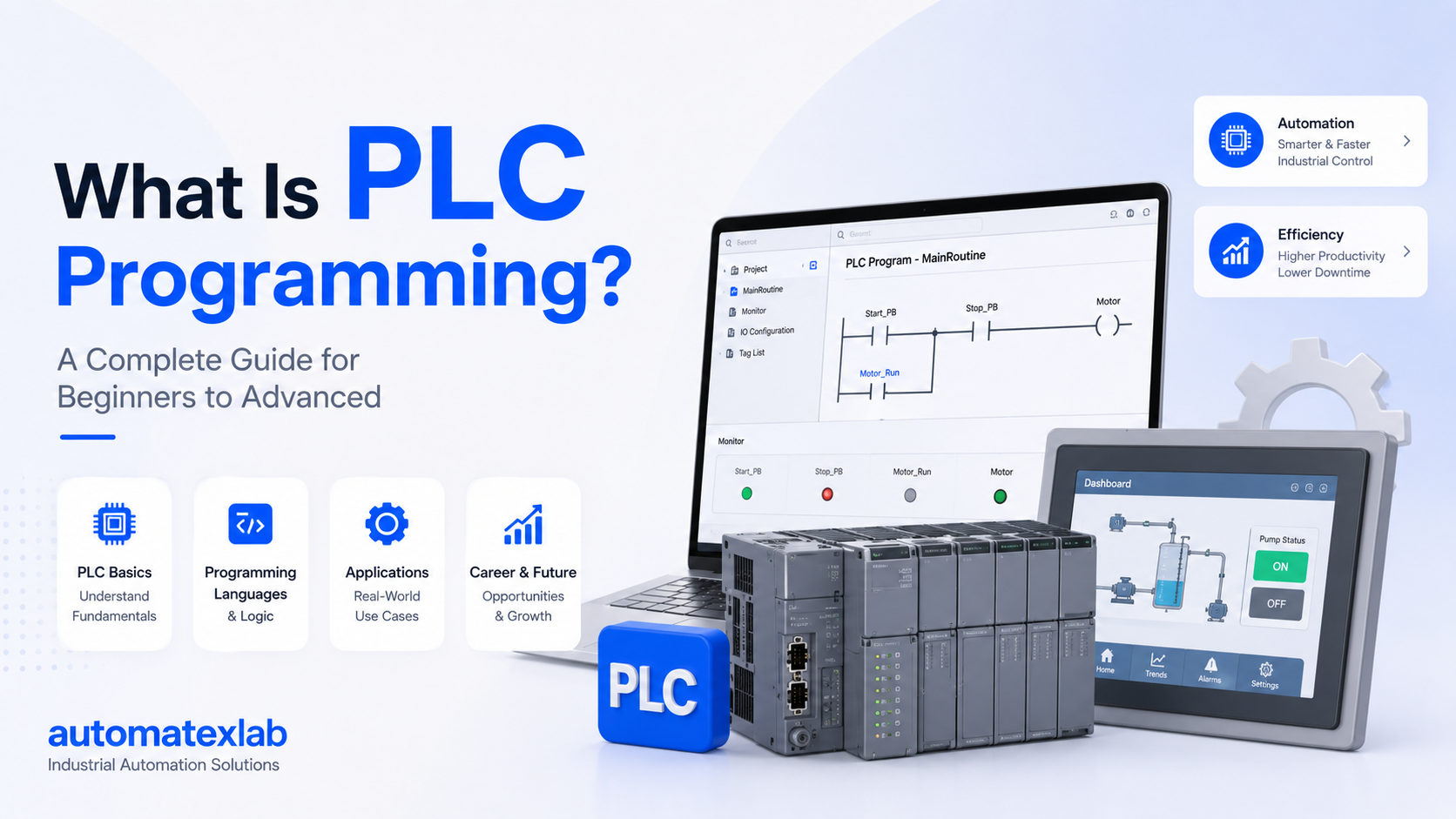
A PLC maintenance checklist helps manufacturing plants identify hardware, electrical, communication, software, and environmental problems before they cause production downtime. A complete PLC maintenance program should cover the PLC CPU, power supply, I/O modules, communication networks, control cabinet, PLC program, backups, HMI, SCADA, and connected field devices.
Programmable logic controllers are often at the center of automated production systems. When a PLC develops a fault, the problem can affect conveyors, pumps, motors, robots, packaging machines, process equipment, and entire production lines.
Regular maintenance gives plant teams a structured way to identify developing problems, document system conditions, and respond faster when failures occur.
What Is PLC Maintenance?
PLC maintenance is the planned inspection, testing, documentation, and troubleshooting of a programmable logic controller system and its connected automation equipment.
PLC maintenance can include physical inspections, power checks, I/O testing, communication diagnostics, program backups, cooling inspections, fault-log reviews, and software documentation.
There are four common types of PLC maintenance:
Preventive PLC Maintenance
Preventive maintenance is performed at planned intervals to identify potential problems before equipment fails.
Typical activities include checking cabinet conditions, power supplies, connections, cooling systems, communication networks, and backups.
Corrective PLC Maintenance
Corrective maintenance addresses a known problem after a fault has been identified.
For example, a failed I/O module, damaged communication cable, or faulty power supply may require corrective maintenance.
Predictive PLC Maintenance
Predictive maintenance uses system data and trends to identify abnormal conditions before they become failures.
Fault histories, temperature information, communication errors, power quality data, and recurring alarms can help maintenance teams identify deterioration.
Emergency PLC Troubleshooting
Emergency troubleshooting happens when a production system has already stopped or developed a critical fault.
The objective is to identify the root cause, restore safe operation, and prevent the same problem from returning.
Why PLC Maintenance Is Important in Manufacturing Plants
PLC maintenance is important because a small automation problem can create a much larger production problem.
A loose terminal, overheating cabinet, unstable power supply, failed communication switch, or outdated PLC backup can turn a relatively simple technical issue into extended downtime.
Reduce Unplanned Downtime
Preventive inspection can identify problems before they interrupt production.
For example, a cooling fan that is beginning to fail may cause cabinet temperatures to increase. Detecting the problem during scheduled maintenance gives the plant an opportunity to replace the fan before excessive heat affects PLC hardware.
Extend PLC System Life
PLC hardware operates within specified temperature, humidity, electrical, and environmental conditions.
Keeping control cabinets clean, adequately ventilated, and properly maintained can help reduce unnecessary stress on automation components.
Improve Troubleshooting Speed
Troubleshooting becomes much easier when the maintenance team has access to:
- Current PLC programs
- Electrical drawings
- I/O lists
- Network diagrams
- Hardware configurations
- Alarm histories
- Previous maintenance records
- PLC and HMI backups
Without proper documentation, technicians may spend significant time identifying basic system information before they can investigate the actual fault.
Protect Production Data
PLC programs and automation configurations should not exist only inside the production controller.
A hardware failure without a current backup can create a serious recovery problem.
Plants should maintain appropriate backups of PLC programs, HMI projects, SCADA configurations, drive parameters, hardware configurations, and other critical automation files.
Improve Plant Reliability
A structured PLC maintenance program gives maintenance teams a better understanding of recurring problems.
Instead of repeatedly clearing the same alarm, engineers can investigate why the alarm keeps returning.
PLC Maintenance Checklist
A complete PLC maintenance checklist should cover the physical control system, electrical infrastructure, automation software, communication network, and connected equipment.
The following checklist can be adapted to the plant’s equipment, operating environment, and manufacturer’s recommendations.
PLC Control Panel Inspection
The PLC control cabinet is one of the first areas maintenance personnel should inspect.
Check the cabinet for:
- Dust and dirt accumulation
- Moisture or condensation
- Corrosion
- Excessive heat
- Damaged wiring
- Loose terminals
- Loose connectors
- Discolored components
- Signs of overheating
- Unusual smells
- Damaged cable insulation
- Blocked ventilation
- Failed cooling fans
- Dirty air filters
Dust can restrict airflow and contribute to heat buildup. Moisture can create corrosion and electrical problems.
Any inspection involving energized electrical equipment should follow the plant’s electrical safety procedures and applicable lockout/tagout requirements.
PLC Power Supply Checks
Stable power is essential for reliable PLC operation.
Maintenance teams should inspect the PLC power supply and associated electrical infrastructure for:
- Incoming voltage
- PLC supply voltage
- 24 VDC supply
- Voltage fluctuations
- Power supply alarms
- Fuses
- Circuit breakers
- Loose connections
- Grounding and bonding
- UPS condition where applicable
An unstable power supply can create intermittent PLC resets, communication problems, I/O failures, and unexpected machine behavior.
If a PLC appears to be failing intermittently, the power supply should be considered as part of the investigation rather than assuming that the PLC CPU is defective.
PLC CPU Inspection
The PLC CPU is the primary processing component of the control system.
During maintenance, review available CPU indicators and diagnostic information.
Check:
- RUN or STOP status
- Fault indicators
- Diagnostic LEDs
- CPU error codes
- Diagnostic buffers or logs
- Memory status
- Battery condition where applicable
- Hardware status
- Communication status
- CPU temperature where supported
A PLC CPU showing a fault does not automatically mean that the CPU hardware has failed.
The underlying cause may be a power problem, I/O fault, communication problem, program error, or connected device issue.
PLC I/O Module Maintenance
PLC input and output modules connect the controller to sensors, switches, motors, valves, relays, actuators, and other field devices.
I/O maintenance should cover both the module and the connected field wiring.
Digital Input Maintenance
Check:
- Input status LEDs
- Sensor signals
- Terminal connections
- Input wiring
- Unexpected state changes
- Sensor operation
- Intermittent input signals
For example, if a proximity sensor is not appearing as ON inside the PLC, the fault could be in the sensor, wiring, terminal, input module, or PLC logic.
Digital Output Maintenance
Check:
- Output status
- Output wiring
- Relays
- Contactors
- Solenoids
- Actuators
- Output module condition
An output that appears active in the PLC but does not operate the connected device requires investigation beyond the PLC program.
Analog Input Maintenance
Analog inputs require additional attention because they represent continuously changing values.
Check:
- Signal stability
- Sensor output
- Signal scaling
- Wiring
- Termination
- Electrical noise
- Unexpected fluctuations
Typical industrial analog signals include 4 to 20 mA and voltage-based signals, depending on the application.
Analog Output Maintenance
Check:
- Output value
- Scaling
- Wiring
- Connected device
- Signal stability
- Expected operating range
Comparing PLC values with actual field measurements can help determine whether a problem originates in the PLC, wiring, sensor, actuator, or field device.
PLC Communication Network Checks
Modern manufacturing plants often depend heavily on industrial communication networks.
A PLC may communicate with remote I/O, HMIs, SCADA systems, drives, robots, industrial PCs, and other controllers.
Common industrial protocols include:
- PROFINET
- PROFIBUS
- EtherNet/IP
- Modbus TCP
- Modbus RTU
- CC-Link
- Industrial Ethernet
Check the following:
- Communication status
- Network error logs
- Device connection status
- Communication modules
- Ethernet switches
- Network cables
- Connectors
- IP configuration
- Duplicate IP addresses
- Communication diagnostics
- Intermittent communication faults
A communication failure can look like a PLC failure even when the CPU is operating normally.
For example, an HMI may stop displaying current values because communication between the HMI and PLC has failed. The PLC itself may continue controlling the machine correctly.
PLC Program and Software Maintenance
PLC maintenance is not limited to physical hardware.
The PLC application program is equally important.
Maintenance teams should maintain:
- Current PLC program
- Program version
- Hardware configuration
- Software version
- Firmware version
- Program comments
- Tag and variable documentation
- Change history
- Approved modifications
- Access credentials and permissions where applicable
Undocumented online changes can create major maintenance problems.
If one engineer changes the PLC logic and another engineer later downloads an older program, the plant could unintentionally overwrite a working modification.
Version control and change documentation help prevent this situation.
PLC Program Backup Checklist
A current PLC backup is one of the most important parts of automation maintenance.
Use this checklist:
- Maintain a current PLC program backup
- Verify that the backup is readable
- Record the backup date
- Record PLC model and CPU
- Record firmware version
- Save hardware configuration
- Maintain program version numbers
- Back up HMI projects
- Back up SCADA projects
- Back up drive parameters where applicable
- Store an offline copy
- Maintain a recovery procedure
- Periodically verify the recovery package
A backup file sitting on an engineer’s laptop is not necessarily a complete disaster-recovery solution.
A stronger approach is to maintain a documented and verified recovery package containing the files and information required to rebuild the automation system.
HMI and SCADA Maintenance
PLC systems often work together with HMI and SCADA platforms.
For that reason, PLC maintenance should include the supervisory layer of the automation system.
Check:
- HMI communication
- PLC tags
- Alarm functionality
- Screen operation
- Historical data
- SCADA communication
- Server health
- Storage capacity
- Database condition
- User access
- HMI project backups
- SCADA project backups
A machine may continue operating while its HMI has lost communication with the PLC.
Likewise, a SCADA system may display incorrect or missing information because of communication, tag configuration, network, or server issues.
PLC Battery and Memory Checks
Some PLC platforms use batteries to retain memory or support specific functions.
Where applicable, inspect:
- Battery condition
- Battery status
- Manufacturer-recommended replacement interval
- Retentive memory
- Program retention
- Memory status
Battery replacement procedures vary between PLC platforms and models.
Always follow the manufacturer’s instructions before removing or replacing a PLC battery.
Industrial Ethernet and Cabling Inspection
Physical network infrastructure can have a significant effect on PLC reliability.
Inspect:
- Ethernet cables
- Connectors
- Industrial switches
- Port status
- Cable routing
- Shielding
- Link/activity indicators
- Network error counters
Industrial communication cables should be routed appropriately and protected from conditions that could cause mechanical damage or excessive electrical interference.
Cable routing is especially important around motors, drives, contactors, and high-current electrical equipment.
PLC Cooling and Environmental Conditions
Environmental conditions can directly affect PLC hardware reliability.
Check:
- Cabinet temperature
- Ambient temperature
- Humidity
- Dust
- Vibration
- Chemical exposure
- Cooling fans
- Air filters
- Cabinet ventilation
- Air conditioning where applicable
The acceptable operating range depends on the specific PLC hardware.
Maintenance teams should compare actual conditions against the manufacturer’s specifications instead of relying on generic temperature assumptions.
PLC Grounding and Electrical Noise Checks
Electrical noise can create difficult-to-reproduce automation problems.
Potential sources include:
- Variable frequency drives
- Motors
- Contactors
- High-current equipment
- Poor cable routing
- Improper shielding
- Grounding problems
- Ground loops
When a PLC system experiences intermittent I/O or communication problems, the investigation should consider the electrical environment.
A problem that occurs only when a large motor starts, for example, may point toward an electrical interference or power-quality issue rather than a PLC programming problem.
PLC Diagnostic and Fault Log Review
PLC diagnostic information can provide valuable clues about recurring failures.
Maintenance teams should review:
- CPU diagnostics
- Hardware faults
- I/O faults
- Communication errors
- Program errors
- Watchdog events
- Alarm history
- Repeated fault patterns
The goal should not simply be to clear an alarm.
The maintenance team should ask why the alarm occurred and whether it has happened before.
For example, if a communication fault appears every few days, the team should investigate the underlying cause instead of repeatedly resetting the system.
PLC Maintenance Schedule
The right maintenance frequency depends on equipment criticality, operating environment, manufacturer’s recommendations, and plant maintenance procedures.
A practical framework can include daily, weekly, monthly, quarterly, and annual activities.
Daily PLC Checks
Operators or maintenance personnel can review:
- PLC operating status
- Active alarms
- HMI communication
- Major fault indicators
- Abnormal machine behavior
Daily checks are generally focused on identifying obvious abnormalities.
Weekly PLC Checks
Weekly inspections can include:
- Control cabinet condition
- Cooling condition
- Visible wiring problems
- Communication status
- Diagnostic information
- Unusual noises or temperatures
Monthly PLC Checks
Monthly maintenance can include:
- Power supply inspection
- Cabinet inspection
- Network health review
- Backup verification
- HMI communication checks
- Fault-history review
Quarterly PLC Checks
Quarterly maintenance can include:
- Detailed hardware inspection
- Environmental review
- Network diagnostics
- Backup validation
- PLC documentation review
- Recurring fault analysis
Annual PLC Maintenance
Annual maintenance can include:
- Comprehensive PLC system inspection
- Hardware health assessment
- Backup and recovery testing
- Software and firmware review
- Obsolescence assessment
- Spare-parts review
- Automation modernization planning
The actual schedule should be customized to the plant rather than applied as a universal rule.
PLC Maintenance Checklist by System Component
| Component | What to Check | Common Issue |
|---|---|---|
| CPU | Status, diagnostics, memory | CPU fault |
| Power supply | Voltage, alarms, connections | Voltage instability |
| Digital inputs | Signals and wiring | Sensor or input fault |
| Digital outputs | Output status and devices | Actuator fault |
| Analog I/O | Signals and scaling | Signal instability |
| Communication module | Network status | Communication loss |
| Ethernet switch | Ports and errors | Network failure |
| Control panel | Heat, dust, moisture | Hardware degradation |
| PLC program | Backup and version | Program mismatch |
| HMI | Tags and communication | HMI communication fault |
| SCADA | Communication and alarms | Data or communication issue |
This component-based approach makes the maintenance process easier to standardize across different machines and production lines.
Common PLC Problems Found During Maintenance
Several PLC problems appear repeatedly in industrial environments.
PLC Power Failure
Potential causes include:
- Failed power supplies
- Loose wiring
- Blown fuses
- Circuit breaker problems
- Voltage instability
- Poor connections
Power should be investigated carefully before replacing the PLC CPU.
PLC Communication Failure
Potential causes include:
- Damaged cables
- Failed switches
- Incorrect configuration
- Communication module problems
- Network congestion
- Electrical interference
- Device configuration errors
Network diagnostics can help narrow down the source.
I/O Module Failure
An I/O fault may be caused by:
- Failed module
- Sensor problem
- Actuator problem
- Wiring fault
- Loose terminal
- Short circuit
- Incorrect configuration
The PLC module should not automatically be blamed when a connected field device fails.
PLC Overheating
Overheating can result from:
- Failed cooling fans
- Blocked ventilation
- Dirty filters
- High ambient temperature
- Cabinet design issues
- Excessive heat from nearby equipment
Temperature problems should be investigated before they cause hardware failure.
Intermittent PLC Faults
Intermittent problems are often more difficult to diagnose because the system may work normally when the technician arrives.
Useful evidence includes:
- Fault logs
- Alarm history
- Trend data
- Communication logs
- Operator reports
- Environmental readings
- Maintenance history
The objective is to identify a pattern rather than repeatedly reset the system.
PLC Program Errors
Program-related problems can result from:
- Incorrect logic modifications
- Undocumented changes
- Configuration mismatches
- Software issues
- Incorrect addressing
- Memory-related problems
A comparison between the current PLC program and the approved version can help identify unauthorized or unexpected changes.
PLC Maintenance Safety Considerations
PLC maintenance involves industrial electrical and mechanical systems, so safety must come before troubleshooting speed.
Maintenance teams should follow the plant’s established procedures for:
- Lockout/tagout
- Electrical isolation
- Arc-flash protection
- Authorized access
- Test equipment
- Electrical testing
- Online PLC modifications
- Program backups
- Equipment-specific safety procedures
Not every PLC inspection requires the same isolation procedure. The correct approach depends on the equipment, task, plant procedures, and applicable safety requirements.
Online changes to a production PLC should be controlled and documented because an incorrect modification can affect machine operation.
When Should a Manufacturing Plant Hire PLC Maintenance Services?
External PLC maintenance support can be useful when a plant does not have sufficient internal automation expertise or when a problem requires specialized knowledge.
Common situations include:
- Recurring PLC faults
- Frequent production downtime
- Missing PLC programs
- Obsolete PLC hardware
- Difficult communication problems
- PLC and HMI integration issues
- SCADA problems
- Machine modernization
- PLC migration
- Emergency troubleshooting
- Lack of internal PLC specialists
External automation engineers can also help plants document legacy systems and create a more structured maintenance strategy.
PLC Preventive Maintenance vs PLC Troubleshooting
Preventive maintenance and troubleshooting have different objectives.
| Preventive Maintenance | Troubleshooting |
| Planned activity | Reactive activity |
| Identifies potential problems | Identifies active faults |
| Reduces failure risk | Restores operation |
| Uses scheduled inspections | Uses diagnostic investigation |
| Focuses on reliability | Focuses on fault resolution |
| Supports long-term maintenance | Addresses immediate production problems |
A reliable manufacturing operation needs both.
Preventive maintenance reduces the likelihood of failures, while troubleshooting provides a structured approach when failures still occur.
How to Create a PLC Maintenance Program
Creating a formal PLC maintenance program does not need to be complicated.
Identify Critical PLC Systems
Start by identifying PLCs that control:
- Production bottlenecks
- High-value machinery
- Critical processes
- Packaging lines
- Material handling systems
- Safety-related processes where applicable
Not every PLC has the same business impact.
A failure on a non-critical machine may have a very different consequence from a PLC failure that stops an entire production line.
Document the Automation System
Maintain records for:
- PLC model
- CPU model
- I/O configuration
- Network architecture
- Electrical drawings
- I/O lists
- HMI model
- SCADA configuration
- Software versions
- Firmware versions
- Drive parameters
Good documentation reduces troubleshooting time.
Establish Maintenance Frequencies
Define appropriate daily, weekly, monthly, quarterly, and annual activities.
The schedule should consider the equipment manufacturer’s recommendations and the plant’s actual operating conditions.
Create Backup Procedures
Define:
- Who performs backups
- When backups are performed
- Where backups are stored
- How versions are named
- How backups are verified
- How recovery is performed
A backup process should be treated as part of the plant’s maintenance system, not an occasional manual task.
Track Recurring Faults
Maintain a history of PLC-related failures.
Record:
- Fault description
- Date
- Machine
- PLC
- Root cause
- Corrective action
- Parts replaced
- Downtime
- Recurrence
This data can reveal problems that are invisible when each fault is treated separately.
Review PLC Obsolescence
A PLC that still works can nevertheless become a maintenance risk if replacement hardware, software, or technical support becomes difficult to obtain.
Obsolescence reviews help plants plan upgrades before an emergency failure occurs.
PLC Obsolescence and Modernization
Older PLC systems can become increasingly difficult to maintain.
Potential warning signs include:
- Discontinued CPUs
- Unavailable I/O modules
- Outdated programming software
- Unsupported communication protocols
- Difficult-to-source spare parts
- Aging HMIs
- Legacy SCADA platforms
- Limited engineering support
A plant does not necessarily need to replace an old PLC simply because a newer platform exists.
Modernization should be based on factors such as reliability, spare-parts availability, production risk, supportability, cybersecurity requirements, expansion needs, and total cost of ownership.
A planned PLC migration can be considerably easier to manage than an emergency replacement after a critical hardware failure.
PLC Maintenance Documentation Template
A maintenance record should capture enough information to understand the system’s current condition and maintenance history.
Useful fields include:
| Information | Example |
| Asset ID | PLC-PRD-001 |
| Manufacturer | PLC manufacturer |
| PLC model | CPU model |
| I/O configuration | Module list |
| Firmware | Installed version |
| Software | Engineering software |
| Network | IP or protocol information |
| Last maintenance | Date |
| Last backup | Date |
| Fault history | Recorded events |
| Parts replaced | Component details |
| Technician notes | Maintenance observations |
| Next maintenance | Planned date |
Consistent documentation makes it easier for different maintenance engineers to work on the same system.
PLC Maintenance Checklist: Quick Reference
Use this quick reference during maintenance planning:
- Inspect PLC cabinet
- Check power supply
- Check CPU status
- Review diagnostic information
- Inspect digital inputs
- Inspect digital outputs
- Check analog I/O
- Verify communication networks
- Inspect network cables
- Check connectors and terminals
- Inspect cabinet cooling
- Check environmental conditions
- Review PLC fault history
- Verify PLC program backup
- Check HMI communication
- Check SCADA communication
- Check PLC battery where applicable
- Review recurring faults
- Review automation documentation
- Check spare parts
- Assess obsolete hardware
- Record completed maintenance
This checklist should be adapted to the specific PLC platform, machine, process, and plant maintenance procedure.
When to Contact AutomatexLab for PLC Maintenance
PLC problems can become expensive when troubleshooting is delayed or performed without sufficient system documentation.
AutomatexLab can support industrial automation requirements such as PLC maintenance, PLC troubleshooting, PLC programming, HMI support, SCADA programming, control system troubleshooting, PLC modernization, and automation system upgrades.
Support can be particularly valuable when a manufacturing plant is dealing with recurring PLC faults, obsolete automation hardware, communication failures, missing programs, or difficult-to-diagnose machine problems.
Need help with PLC maintenance or recurring automation faults? Contact AutomatexLab to discuss your PLC, HMI, SCADA, or industrial automation system.
Final Takeaway
A PLC maintenance checklist gives manufacturing plants a repeatable way to monitor automation systems before small problems become major production failures.
The most effective approach goes beyond checking whether the PLC is in RUN mode. Maintenance teams should inspect the entire automation ecosystem, including power supplies, I/O modules, communication networks, control cabinets, cooling systems, software, backups, HMI, SCADA, and connected field devices.
Regular inspections combined with accurate documentation and verified backups can make PLC troubleshooting faster and help plants plan modernization before obsolete equipment becomes a production risk.
For manufacturing plants dealing with recurring PLC faults, automation downtime, PLC programming issues, or legacy control systems, professional PLC maintenance and troubleshooting support can provide a structured path toward more reliable automation.
Frequently Asked Questions About PLC Maintenance
How often should a PLC be maintained?
PLC maintenance frequency depends on the PLC manufacturer’s recommendations, operating environment, system criticality, production conditions, and plant maintenance policy. A practical program can include daily monitoring with more detailed weekly, monthly, quarterly, and annual inspections.
What should be checked during PLC maintenance?
A complete PLC maintenance inspection should cover the control cabinet, power supply, CPU, I/O modules, communication networks, wiring, cooling, environmental conditions, PLC software, backups, HMI, SCADA, and diagnostic history.
Does a PLC need regular cleaning?
The control cabinet and cooling system may require cleaning when dust or contamination affects airflow and equipment conditions. Cleaning should follow the manufacturer’s instructions and the plant’s electrical safety procedures.
How do I know if a PLC is failing?
Common warning signs include repeated hardware faults, unexplained PLC resets, communication failures, unexpected I/O behavior, overheating, diagnostic errors, and recurring alarms. However, these symptoms can also originate from power supplies, wiring, field devices, or networks.
Should PLC programs be backed up?
Yes. Manufacturing plants should maintain current and verified backups of critical PLC programs and related automation configurations. The backup should be stored securely and included in a documented recovery process.
How can PLC downtime be reduced?
Plants can reduce PLC-related downtime through preventive maintenance, verified backups, fault monitoring, proper documentation, spare-parts planning, network maintenance, environmental control, and qualified troubleshooting support.