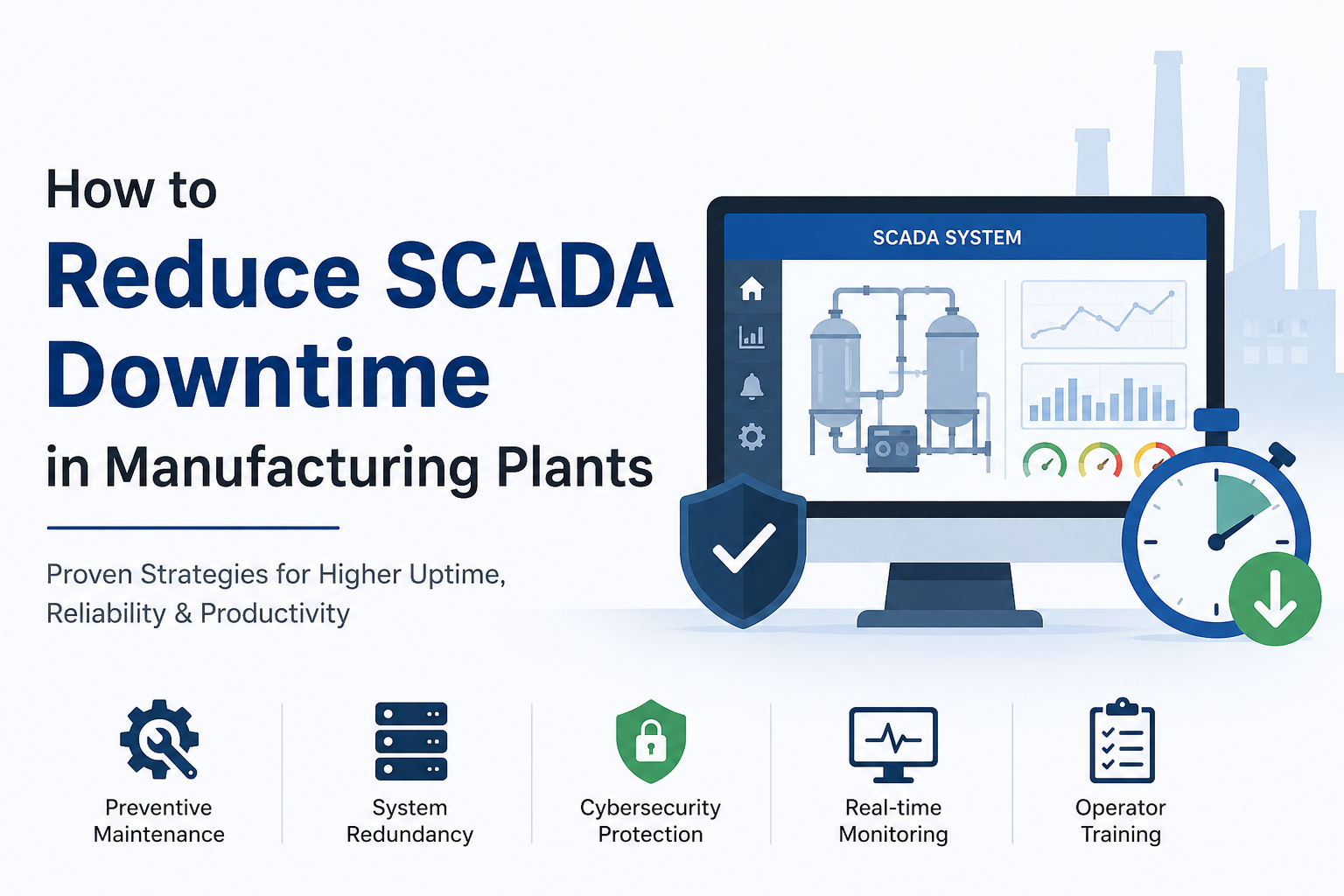
SCADA downtime can disrupt production, reduce equipment efficiency, and increase operational costs. Manufacturing plants can minimize downtime through preventive maintenance, system redundancy, cybersecurity, network monitoring, regular software updates, predictive analytics, and operator training. A proactive maintenance strategy significantly improves SCADA reliability and overall plant productivity.
SCADA systems are the central nervous system of modern manufacturing operations. They monitor equipment, collect data, and provide operators with real-time visibility to control complex industrial processes. When these systems go down, production grinds to a halt.
Even a few minutes of SCADA downtime can have devastating consequences on manufacturing output. In fact, a major consumer appliance manufacturer reports costs of $500 per minute of downtime . For automakers, latency costs can reach $10,000 per minute, with cars coming off the line every 86 seconds .
SCADA systems are widely used across industries including automotive manufacturing, food and beverage processing, pharmaceuticals, oil and gas, water treatment, and chemical production. Each industry faces unique challenges, but the impact of downtime remains consistently severe across all sectors.
This comprehensive guide will walk you through the common causes of SCADA downtime and provide proven strategies to reduce system interruptions. Whether you are maintaining legacy infrastructure or planning a modern SCADA deployment, these best practices will help you maximize system availability and protect your manufacturing operations.
What Is SCADA Downtime?
SCADA downtime refers to any period when the supervisory control and data acquisition system is unavailable or unable to perform its monitoring and control functions. This interruption prevents operators from viewing real-time process data and controlling field equipment, effectively rendering the manufacturing operation blind.
Planned vs. Unplanned Downtime
Planned downtime occurs during scheduled maintenance activities, system upgrades, or configuration changes. While any downtime has operational costs, planned downtime can be managed and scheduled during periods of low production demand to minimize business impact.
Unplanned downtime strikes without warning and can be catastrophic. A NERC incident report documented a registered entity that lost SCADA monitoring and control capability for 50 minutes when telecommunication equipment was inadvertently powered down during scheduled elevator maintenance . This type of unexpected interruption can result in significant production losses, safety incidents, and regulatory violations.
Common Downtime Scenarios
- Server failure: When the primary SCADA server crashes, operators lose system access until failover occurs or the server is restored
- PLC communication loss: Disconnection between SCADA and programmable logic controllers stops all data acquisition and control
- Network outage: Ethernet failures, fiber damage, or switch errors break the communication chain
- HMI malfunction: Human-machine interface failures prevent operators from interacting with the system
- Database corruption: Historian database issues cause data loss and analytics gaps
- Power interruption: UPS battery depletion or generator failure knocks critical systems offline
Why SCADA Downtime Is Expensive
The financial impact of SCADA downtime extends far beyond the immediate production stoppage.
Production Stoppage and Lost Revenue
When SCADA goes down, production lines stop. Every minute of unplanned downtime directly reduces output, creating a revenue gap that cannot be easily recovered. A supplier in one case consistently missed delivery windows due to IT issues, causing their customer to seek alternative vendors .
Equipment Idle Time
Machinery sits idle while the control system is unavailable. Even after SCADA is restored, equipment may need recalibration or restart procedures before production resumes. This creates a ripple effect of wasted capacity.
Product Quality Issues
Without real-time monitoring, process parameters can drift outside acceptable ranges. Even brief SCADA outages may result in off-spec products that require rework or scrapping, damaging both profitability and customer trust.
Missed Customer Deadlines
Production delays from SCADA downtime cascade through the supply chain. Late deliveries strain customer relationships and may result in contract penalties or lost future business.
Increased Maintenance Costs
Emergency repairs, expedited parts shipping, and overtime labor all add to maintenance expenses. Reactive maintenance is significantly more expensive than planned preventive activities.
Safety Risks
When operators lose visibility and control, safety systems may be compromised. Workers could be exposed to hazardous conditions, and environmental releases become more likely.
Downtime Impact Comparison
| Downtime Type | Business Impact |
|---|---|
| Network Failure | Production stops |
| PLC Failure | Machine shutdown |
| HMI Failure | Operator loses visibility |
| Database Failure | Historical data loss |
| Cyberattack | Entire SCADA unavailable |
Common Causes of SCADA Downtime
Understanding the root causes of SCADA downtime is the first step toward prevention. A 2025 study investigating SCADA availability in microgrid environments identified three key vulnerability areas: network redundancy management, device disconnection from fiber-optic ring networks, and programming errors within the SCADA application itself . These findings are consistent across industrial settings.
Hardware Failures
Hardware components are subject to wear, environmental stress, and age-related degradation. Common failures include:
- Servers: Motherboard failures, hard drive crashes, memory errors
- Switches: Port failures, power supply issues, overheating
- PLCs: Processor failures, I/O module faults, battery backup depletion
- HMIs: Screen failures, touchscreen calibration issues, touchscreen damage
- Power supplies: Capacitor failure, voltage regulation problems, complete failure
Network Issues
Industrial networks are complex and can fail in numerous ways:
- Ethernet failures: Cable damage, connector corrosion, switch malfunctions
- Fiber damage: Physical breaks, excessive bending, contaminant ingress
- Industrial Wi-Fi instability: Interference, signal attenuation, access point failures
- Switch configuration errors: VLAN misconfigurations, spanning tree problems, protocol mismatches
Software Problems
SCADA software is increasingly complex, creating multiple failure points:
- Bugs: Unhandled exceptions, memory management issues, race conditions
- Memory leaks: Gradual performance degradation leading to crashes
- Database issues: Index corruption, transaction log growth, connection pool exhaustion
- Version conflicts: Incompatible drivers, mismatched libraries, unsupported features
Human Errors
A significant portion of downtime incidents trace back to human mistakes:
- Incorrect configuration: Wrong IP addresses, subnet masks, or protocol settings
- Accidental deletion: Deleting critical tags, graphics, or database tables
- Improper updates: Applying updates without proper testing or validation
- Wrong alarm settings: Setting inappropriate thresholds that lead to alarm floods or missed critical events
The NERC investigation cited earlier found that proper coordination between maintenance teams and system control centers could have prevented the 50-minute outage .
Cybersecurity Attacks
SCADA systems are increasingly targeted by malicious actors. Cyberattacks can cause extended downtime and substantial recovery costs.
- Malware: Infected PLCs or workstations can disrupt operations
- Ransomware: Encryption of SCADA files and databases halts all functionality
- Unauthorized access: Insider threats or compromised credentials allow malicious changes
- Phishing: Targeted email attacks compromise operator credentials
Power Problems
Power interruptions are a frequent but often overlooked cause of SCADA downtime.
- Voltage fluctuations: Sags and surges damage sensitive electronics
- UPS failure: Battery depletion during extended outages
- Generator issues: Failure to start, fuel exhaustion, transfer switch problems
Proven Ways to Reduce SCADA Downtime
Implement Preventive Maintenance
Preventive maintenance is the foundation of SCADA reliability. Routine inspections and scheduled servicing catch problems before they cause failures.
- Conduct routine inspections of all SCADA hardware components including servers, switches, PLCs, and HMIs. Look for dust accumulation, loose connections, and signs of overheating.
- Perform health checks on all critical subsystems. Verify redundant components are operating correctly and failover mechanisms are functional.
- Schedule regular servicing of cooling systems, power supplies, and batteries.
- Apply firmware updates to switches, PLCs, and other networked devices to address known issues and vulnerabilities.
Virtualization can streamline this process significantly. By decoupling SCADA software from physical hardware, you can perform maintenance and upgrades with minimal production disruption .
Use Redundant SCADA Servers
Server redundancy is essential for high availability. A primary server paired with one or more backup servers ensures the system stays online even when hardware fails.
- Primary server: Handles all normal SCADA operations
- Secondary server: Takes over automatically when the primary fails
- Automatic failover: Transitions control without manual intervention
- High availability architecture: Eliminates single points of failure
Modern SCADA platforms support hot backup where backup servers take over without delay or human intervention . This approach ensures operators maintain visibility and control even during server failures.
For maximum resilience, place redundant servers in geographically isolated locations. If all servers are in the same basement, you still have a single point of failure in case of flood or fire .
Install Reliable Backup Power
Power interruptions are a surprisingly common cause of SCADA downtime. A robust backup power strategy protects against outages.
- Uninterruptible Power Supplies: Maintain clean power to all SCADA components
- Industrial batteries: Provide extended run time for critical systems
- Backup generators: Ensure long-term operation during extended outages
Critical equipment should be labeled as such, and facilities maintenance teams need clear procedures for working in areas with critical power loads .
Monitor Network Health Continuously
Network issues cause significant SCADA downtime, but continuous monitoring can detect problems before they escalate.
- Switch monitoring: Track switch status, port utilization, and error rates
- Network latency: Measure communication delays between devices
- Packet loss: Identify unreliable network connections
- Device availability: Confirm all field devices are communicating
Having visibility across the edge, application layer, and OT environment allows engineers to pinpoint root causes quickly when problems occur .
Keep Software Updated
Software updates address known issues, security vulnerabilities, and performance problems. A disciplined update process keeps the SCADA system secure and stable.
- Apply security patches promptly to protect against known vulnerabilities
- Upgrade SCADA software to newer versions for features and reliability improvements
- Update operating systems to supported versions with current security patches
Before deploying any updates to production, test them in a staging environment. This practice helps identify compatibility issues and prevents unintended consequences .
Secure the SCADA Network
Cybersecurity is a critical component of SCADA reliability. A compromised system is an unavailable system.
- Install firewalls between SCADA networks and corporate IT networks
- Use VPNs for secure remote access to SCADA systems
- Segment networks following the Purdue Enterprise Reference Architecture to isolate critical components
- Implement multi-factor authentication for all users accessing SCADA systems
- Control access with role-based permissions following the principle of least privilege
- Enforce strong password policies and regular password changes
Train Operators Regularly
Operators are the human interface with the SCADA system. Well-trained operators can prevent errors and respond effectively when problems occur.
- Alarm management training: Teaching operators to prioritize and respond to alarms effectively
- Emergency response procedures: Clear protocols for system failures
- Troubleshooting basics: Equipping operators to identify and address common issues
- Incident reporting: Documenting problems for root cause analysis
A proactive maintenance strategy combined with trained operators helps prevent errors that can cause downtime .
Perform Regular Data Backups
Data loss during SCADA downtime can be catastrophic. Regular backups ensure you can restore critical information quickly.
- Historian database: Historical process data for analysis and compliance
- Configuration backups: All SCADA system configurations
- PLC programs: Control logic for all programmable controllers
- HMI projects: Graphics, tag databases, and alarm configurations
Backups should be performed daily and stored both on-site and off-site. Testing backup restoration periodically confirms the integrity of backup data.
Use Predictive Maintenance
Predictive maintenance uses data analytics to detect potential failures before they occur. By monitoring equipment condition in real-time, manufacturers can schedule maintenance before breakdowns happen.
IoT sensors collect data on various parameters that indicate developing problems:
- Temperature rise: Excessive heat often precedes equipment failure
- Vibration: Abnormal vibration indicates bearing wear or imbalance
- Motor health: Current draw, temperature, and efficiency changes signal issues
- Pump failures: Flow rate, pressure, and current consumption changes indicate wear
AI-powered maintenance systems analyze sensor data to predict remaining useful life of equipment . This approach can reduce unplanned downtime by over 30% .
Improve Alarm Management
Effective alarm management reduces operator fatigue and ensures critical alarms get proper attention.
- Alarm prioritization: Assigning severity levels to different alarm types
- Reducing alarm flooding: Preventing excessive alarms that overwhelm operators
- Eliminating false alarms: Tuning alarm settings to avoid nuisance trips
- Managing operator fatigue: Avoiding alarm storms that desensitize operators
Plants that move from simple alarm management to operating envelope management can identify process drift before it triggers alarms, enabling proactive adjustments instead of reactive responses .
Conduct Routine System Audits
Regular audits identify weaknesses in your SCADA infrastructure before they cause downtime.
- Hardware audits: Check all components for age, condition, and capacity
- Software audits: Verify all software is up to date and properly licensed
- Network audits: Assess network health, latency, and redundancy
- Security audits: Test security controls and identify vulnerabilities
- Backup system audits: Confirm backups are current and restorable
Develop a Disaster Recovery Plan
A disaster recovery plan provides a clear path to restoration after a major incident.
- Recovery procedures: Step-by-step instructions for restoring systems
- Backup servers: Spare hardware ready for rapid deployment
- Recovery testing: Regular drills to validate the plan
- Documentation: Comprehensive system and configuration documentation
- Team responsibilities: Clear roles and contact information for recovery teams
SCADA Downtime Reduction Checklist
Use this practical checklist to ensure your SCADA downtime reduction strategy covers all essential elements:
- Preventive maintenance schedule established and followed
- Redundant servers configured with automatic failover
- UPS and backup generators installed and tested
- Software update policy with testing before deployment
- Network monitoring tools installed and configured
- Cybersecurity measures including firewalls, VPNs, and MFA
- Daily backups of all critical data
- Operator training program with regular refreshers
- Disaster recovery plan documented and tested
- Predictive maintenance using IoT sensors
- Alarm management system optimized to reduce false alarms
Best Practices for Maintaining High SCADA Availability
Standard Operating Procedures
Documented SOPs ensure consistent operations and maintenance. Include troubleshooting guides, change management procedures, and escalation paths.
24/7 Monitoring
Continuous monitoring of SCADA system health allows early detection of developing issues. Monitoring should cover servers, networks, PLCs, and communication paths.
Spare Hardware Inventory
Maintain stock of critical spare components including servers, switches, PLCs, and power supplies. Having spares on hand dramatically reduces recovery time when hardware fails.
Remote Diagnostics
Remote access capabilities allow support engineers to diagnose problems without traveling to the plant. This capability significantly reduces time to resolution.
Vendor Support Agreements
Maintain support agreements with all critical vendors. These agreements ensure priority access to technical support and replacement parts.
Regular Testing
Test all backup and redundancy systems regularly. Confirm that failover works as expected and recovery procedures are effective.
Performance Analytics
Track key performance indicators for your SCADA system including uptime, MTBF, and MTTR. Use this data to identify trends and areas for improvement.
Technologies That Help Reduce SCADA Downtime
| Technology | Benefit |
|---|---|
| SCADA Redundancy | Automatic failover |
| Industrial IoT | Predictive maintenance |
| Edge Computing | Faster processing |
| AI Analytics | Early fault detection |
| OPC UA | Reliable communication |
| Industrial VPN | Secure remote access |
| Network Monitoring | Faster issue detection |
| Historian Software | Better diagnostics |
Virtualization of SCADA systems is also emerging as a critical technology for reducing downtime. Virtual machines can be easily backed up, cloned, and migrated, enabling rapid recovery from hardware failures and simplifying system upgrades .
Signs Your SCADA System Needs an Upgrade
Recognizing when your SCADA infrastructure is becoming obsolete helps prevent unexpected failures.
- Frequent crashes: The system crashes more often than it should
- Slow HMI performance: Screen updates are sluggish, and operator response is delayed
- Unsupported software: The SCADA software or OS is no longer supported by the vendor
- Increasing maintenance costs: More staff time and money spent on keeping the system running
- Security vulnerabilities: Known vulnerabilities that cannot be patched
- Hardware obsolescence: Replacement parts are difficult or impossible to obtain
When modernizing SCADA systems, a phased migration approach minimizes downtime. The replacement and existing systems can operate in parallel during a commissioning period, providing a fallback option in case of issues .
Real-World Example
A manufacturing plant experienced recurring SCADA downtime due to aging servers and unstable networking. Servers would crash several times per month, causing 30-60 minute outages each time. The unstable network added additional intermittent connectivity issues.
The plant addressed these problems by deploying redundant servers with automatic failover, eliminating the server-related outages. They implemented predictive maintenance using IoT sensors to detect equipment health issues before they caused failures. The network infrastructure was upgraded with redundant switches and fiber connections, and continuous monitoring tools were deployed to detect network issues early.
The result was a dramatic improvement in SCADA system availability and significantly reduced production interruptions. The plant estimated ROI on the upgrades within 12 months based on avoided downtime costs alone.
Mistakes That Increase SCADA Downtime
Ignoring Preventive Maintenance
Skipping routine maintenance to save time or money leads to more failures and more costly repairs later.
Delaying Software Updates
Running outdated software with known bugs or security vulnerabilities creates unnecessary risk.
Poor Cybersecurity
Weak security measures invite attacks that can cause extended downtime and expensive recovery efforts.
No Backup Server
Operating without server redundancy means any server failure causes a complete system outage.
Weak Documentation
Poor documentation slows troubleshooting and makes it difficult for new staff to understand the system.
No Disaster Recovery Plan
Without a documented recovery plan, response is chaotic and restoration takes much longer.
Inadequate Operator Training
Untrained operators make errors that can bring down the SCADA system and leave problems undetected.
Ignoring Alarms
Alarms that are not responded to or that are tuned poorly leave the plant vulnerable to hidden problems.
Using Outdated Hardware
Old hardware is more likely to fail and harder to replace when it does.
Key Takeaways
SCADA downtime directly impacts production efficiency, costs, and safety. Even brief outages can cause significant financial damage through lost production, quality issues, and missed deadlines.
Preventive maintenance and redundancy are the foundation of high system availability. Routine inspections, health checks, and redundant servers ensure the system stays online even during component failures.
Network monitoring, cybersecurity, backups, and operator training reduce unexpected failures. A comprehensive approach addressing all these areas provides the best protection against downtime.
Predictive maintenance using IoT and AI enables early fault detection before equipment fails. This proactive approach allows maintenance to be scheduled before breakdowns occur, avoiding unplanned downtime.
A disaster recovery plan ensures faster restoration after critical incidents. Documented procedures, regular testing, and clear team responsibilities minimize recovery time when serious failures occur.
Reduce SCADA Downtime with Reliable Industrial Automation Solutions
Unexpected SCADA downtime can lead to production losses and increased operational costs. At AutomatexLab, we help manufacturers improve SCADA reliability through system design, redundancy planning, preventive maintenance, network optimization, cybersecurity, and troubleshooting services. Whether you are upgrading an existing SCADA system or building a new one, our experts can help maximize uptime and operational efficiency.
Contact AutomatexLab today to discuss your SCADA requirements and build a more resilient manufacturing operation.
Frequently Asked Questions
What causes SCADA downtime?
SCADA downtime can be caused by hardware failures, network issues, software problems, human errors, cyberattacks, and power interruptions. The most common causes include server failures, PLC communication loss, network outages, HMI malfunctions, and database corruption .
How can manufacturers reduce SCADA downtime?
Manufacturers can reduce SCADA downtime through preventive maintenance, system redundancy, network monitoring, regular software updates, cybersecurity measures, predictive maintenance, operator training, and disaster recovery planning. A proactive approach across all these areas significantly improves SCADA reliability.
What is SCADA redundancy?
SCADA redundancy means having backup systems ready to take over if primary systems fail. This typically includes redundant servers with automatic failover, redundant network paths, and sometimes redundant PLCs. Redundancy ensures the SCADA system continues operating even when components fail .
Why is preventive maintenance important for SCADA systems?
Preventive maintenance catches potential issues before they cause failures. Regular inspections, health checks, and scheduled servicing prevent unexpected downtime and extend equipment life. A proactive maintenance strategy is far more cost-effective than reactive repairs.
How does predictive maintenance reduce downtime?
Predictive maintenance uses IoT sensors, data analytics, and artificial intelligence to detect potential failures before they occur. By identifying early warning signs like temperature increases, vibration changes, or motor performance degradation, maintenance can be scheduled before equipment fails .
Can cybersecurity improve SCADA uptime?
Yes. Cyberattacks are a major cause of SCADA downtime. Strong cybersecurity measures including firewalls, VPNs, network segmentation, multi-factor authentication, and access controls prevent attacks that could compromise or disable the SCADA system.
How often should SCADA systems be updated?
SCADA software should be updated when security patches are released and when new versions offer meaningful improvements or fixes. Always test updates in a staging environment before deploying to production. Operating systems should be updated regularly to maintain security support.
What is the difference between planned and unplanned downtime?
Planned downtime is scheduled for maintenance, upgrades, or configuration changes and can be managed to minimize production impact. Unplanned downtime is unexpected and causes immediate production stoppages with significant business impact.
How do redundant SCADA servers work?
Primary and secondary servers run simultaneously with automatic failover. If the primary server fails, the secondary server automatically takes over without manual intervention. Operators may not even notice the transition. The system continues to function normally .
What is the ideal SCADA backup strategy?
A comprehensive backup strategy includes daily backups of the historian database, configuration files, PLC programs, and HMI projects. Backups should be stored both on-site and off-site. Regular restoration testing confirms backup integrity and readiness.