PLC Troubleshooting Services for Industrial Automation Systems
Minimize production downtime with professional PLC troubleshooting services and fault diagnosis. AutomatexLab helps manufacturers identify PLC, HMI, I/O, communication and control system issues and restore reliable machine operation.
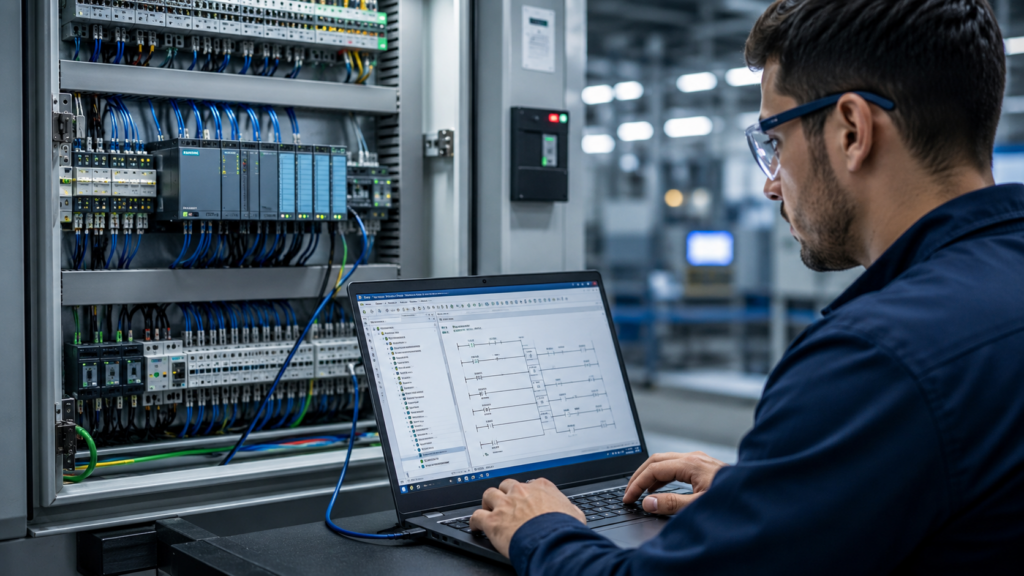
Common PLC Problems We Troubleshoot
AutomatexLab can troubleshoot PLC faults involving programs, I/O, communication networks, HMIs, sensors, actuators and machine control sequences, covering the full range of issues that bring a production line to a stop.
PLC CPU Faults
- CPU errors and diagnostic faults
- PLC program execution problems
- Unexpected PLC stops
- Memory and processor related faults
- Program logic issues
- PLC hardware faults
PLC Input and Output Problems
- Digital inputs and outputs
- Analog inputs and outputs
- Sensors and switches
- Relays and contactors
- Solenoid valves and actuators
- I/O module failures
PLC Communication Issues
- PLC-to-HMI communication
- PLC-to-SCADA communication
- PLC-to-PLC communication
- Ethernet/IP, Modbus, PROFINET, PROFIBUS
- Mitsubishi communication networks
- Industrial Ethernet networks
HMI and SCADA Problems
- HMI communication errors
- PLC tags not updating
- SCADA communication failures
- Alarm problems
- Incorrect process values
- PLC-HMI data mapping problems
Machine Sequence and Logic Problems
We investigate situations where machines stop unexpectedly, automatic sequences fail, manual mode works but automatic mode does not, interlocks prevent machine operation, timers or counters behave incorrectly, outputs do not activate as expected, or machines operate unpredictably.
PLC Troubleshooting Services We Provide
Our troubleshooting process covers PLC hardware, PLC programs, I/O, industrial communication, HMI, SCADA and machine control logic, so the fault is diagnosed as part of the complete control system rather than in isolation.
PLC Fault Diagnosis
We analyze PLC diagnostic information, fault codes, controller status, I/O conditions and program behavior to identify the source of the problem.
PLC Program Troubleshooting
We inspect ladder logic, function blocks, timers, counters, interlocks, sequences and control logic to identify programming related faults.
PLC Hardware Troubleshooting
We help identify potential problems with PLC CPUs, power supplies, I/O modules, communication modules, expansion modules, control wiring and field devices.
PLC Communication Troubleshooting
We diagnose communication failures between PLCs, HMIs, SCADA systems, drives, remote I/O and other industrial devices.
HMI Troubleshooting
We troubleshoot problems involving PLC-HMI communication, tags, alarms, process values, commands and operator interfaces.
SCADA Troubleshooting
We investigate SCADA communication, tag mapping, alarm, data acquisition and PLC connectivity issues.
Remote PLC Troubleshooting
Where remote access is available, we assist with PLC troubleshooting without requiring an engineer to immediately travel to the plant.
On-Site PLC Troubleshooting
For problems that require physical inspection, testing, wiring checks or hardware intervention, on-site support can be arranged based on project requirements and location.
PLC Platforms We Work With
AutomatexLab can provide troubleshooting support for commonly used industrial PLC platforms, subject to the specific PLC model and project requirements.
Siemens PLC
Troubleshooting for Siemens PLC systems, including PLC logic, diagnostics, I/O, communication and HMI related problems.
Mitsubishi PLC
Troubleshooting for Mitsubishi PLC systems, including controller faults, program logic, I/O, communication and machine sequence issues.
Allen-Bradley PLC
Troubleshooting support for Allen-Bradley control systems, including PLC diagnostics, I/O, communication and program related problems.
Other PLC Systems
If your PLC platform is not listed, contact our automation team with the PLC manufacturer and model number so we can assess the troubleshooting requirements.
PLC Troubleshooting Process
Our troubleshooting process starts with understanding the machine fault, collecting system information, diagnosing the likely cause, testing the solution and verifying normal operation.
Understand the Problem
Machine symptoms, PLC model, HMI or SCADA system, fault codes, recent changes and when it started.
Analyze PLC Diagnostics
Review controller status, I/O status, alarms and system behavior.
Trace the Fault
Follow the fault through control logic, field inputs, outputs and communication.
Identify the Root Cause
Determine whether it is programming, hardware, wiring, communication, sensors or configuration.
Implement the Fix
Apply the corrective action after confirming the appropriate solution.
Test the System
Verify the fault is resolved and the control sequence operates correctly.
When Should You Contact a PLC Troubleshooting Engineer?
Contact a PLC troubleshooting engineer when a machine repeatedly stops, shows PLC faults, loses communication, produces incorrect outputs, or fails to execute its programmed sequence.
Why PLC Troubleshooting Matters
Fast PLC troubleshooting can reduce unnecessary production downtime and prevent repeated automation failures, rather than treating every fault as an isolated incident.
Reduce Production Downtime
A control-system fault can stop an entire production process. Faster diagnosis can help reduce the time required to identify and resolve the issue.
Find the Root Cause
Replacing components without identifying the actual cause can lead to repeated failures. Proper troubleshooting focuses on finding the source of the problem.
Prevent Recurring Faults
Once the underlying issue is identified, corrective actions can help reduce the likelihood of the same problem returning.
Support Aging Automation Systems
Older PLC systems may experience hardware, communication, programming and compatibility issues. Troubleshooting can help determine whether repair, modification or modernization is appropriate.
Remote PLC Troubleshooting Support
Remote PLC troubleshooting can be useful when the control system supports secure remote access and the problem can be diagnosed without physical intervention.
Important note: remote troubleshooting is dependent on the PLC platform, network architecture, remote-access setup, safety requirements and nature of the fault.
On-Site PLC Troubleshooting Support
On-site troubleshooting is appropriate when the problem requires physical inspection, electrical testing, wiring checks, component replacement or direct machine observation.
Industries We Support
PLC troubleshooting is applicable across manufacturing and process industries where PLC-based automation controls machines, production lines or industrial processes.
Manufacturing
Troubleshooting for automated production machinery, assembly systems, conveyors and production lines.
Automotive
Support for PLC-controlled manufacturing equipment, robotic cells, material handling and production systems.
Chemical
Troubleshooting for PLC and SCADA systems used in industrial process automation.
Packaging
Support for automated packaging machinery, conveyors, sensors, drives and machine sequencing.
Food and Beverage
Troubleshooting for automated processing, filling, packaging, material handling and production equipment.
Water and Wastewater
PLC troubleshooting for pumping systems, process controls, instrumentation and SCADA-connected systems.
PLC Troubleshooting vs PLC Programming
PLC troubleshooting focuses on finding and resolving problems in an existing automation system, while PLC programming focuses on creating or modifying the control logic.
| PLC Troubleshooting | PLC Programming |
|---|---|
| Finds existing faults | Creates or modifies control logic |
| Diagnoses machine problems | Develops machine sequences |
| Investigates PLC errors | Programs PLC functions |
| Checks I/O behavior | Configures I/O logic |
| Analyzes communication issues | Develops communication logic |
| Resolves operational problems | Builds or upgrades automation systems |
AutomatexLab can support both troubleshooting and PLC programming when a fault requires program modification or logic correction.
What Information Should You Provide for PLC Troubleshooting?
Providing the PLC manufacturer, model, fault symptoms, error codes, program details and machine information can help an automation engineer diagnose the problem faster.
- PLC manufacturer
- PLC model number
- HMI model
- SCADA software, if applicable
- Current fault or error code
- Photos or videos of the fault
- PLC diagnostic information
- Description of the machine problem
- PLC program backup, if available
- Recent changes made to the system
- Machine location
- Whether the machine works in manual or automatic mode
Why Choose AutomatexLab?
AutomatexLab combines PLC programming knowledge with practical industrial automation troubleshooting to help identify control-system problems and restore machine operation.
Automation-Focused Expertise
Our troubleshooting approach focuses on the complete control system rather than looking at the PLC in isolation.
Multiple Automation Systems
We can assess PLC, HMI, SCADA, I/O, communication and machine-control issues as part of the same troubleshooting process.
Remote and On-Site Support
Depending on the problem, troubleshooting can be performed remotely or supported on-site.
Root-Cause Approach
The objective is not simply to clear an alarm. We focus on identifying why the fault occurred and what corrective action is required.
Practical Troubleshooting
We use available diagnostics, program information, machine behavior and system architecture to narrow down the fault.
Case Studies
Real PLC troubleshooting projects where root-cause diagnosis restored production. View all case studies.
Intermittent Communication Fault
A packaging line with intermittent PLC-to-HMI communication drops was traced to a network topology issue rather than a faulty PLC, resolved without replacing any hardware.
Recurring PLC CPU Fault
A production line experiencing repeated CPU faults was diagnosed down to a program logic issue triggered under specific timing conditions, resolved through logic correction.
SCADA Data Loss
A water treatment plant losing SCADA data intermittently was traced to a tag mapping error following a prior program change, corrected and validated.
Frequently Asked Questions
What is PLC troubleshooting?
How long does PLC troubleshooting take?
Can you troubleshoot a PLC remotely?
Can you troubleshoot an old PLC system?
Do you troubleshoot PLC communication problems?
Can you troubleshoot PLC and HMI problems together?
Do you provide on-site PLC troubleshooting?
Explore More Automation Services and Resources
Need PLC Troubleshooting Services?
Whether it is a PLC fault, a communication failure, an HMI or SCADA problem, or a machine sequence that has stopped working correctly, AutomatexLab’s automation engineers can help diagnose the issue and get your production line running again, remotely or on-site.